
End User Portal Overview
The Zetect portal is where you open the applications you use at work, ask for the access you need, and look after your own account. If you approve requests, review access or manage a team, you do that here too.
- Open your applications in one place. Every application and server you are allowed to use is a tile on the Launchpad.
- Ask for access yourself. Find what you need in the Access Catalog and follow your request until it is granted.
- Decide quickly. Requests waiting for your approval and access reviews assigned to you each have their own page, with a count in the sidebar.
- Keep your account safe. Change your password, add an authenticator app or a passkey, and sign out sessions you don't recognise.
Before you begin
- You need a Zetect account and your organisation's sign-in address. Your administrator gives you both.
- Set up a second factor, such as an authenticator app or a passkey, as soon as you can. See Managing Sign-In Security.
Applies to
Everyone with a Zetect account. Some menus appear only for some people, as shown below.
Key concepts
- Portal
- The self-service console you land in after signing in. Its sidebar is the menu.
- Dashboard
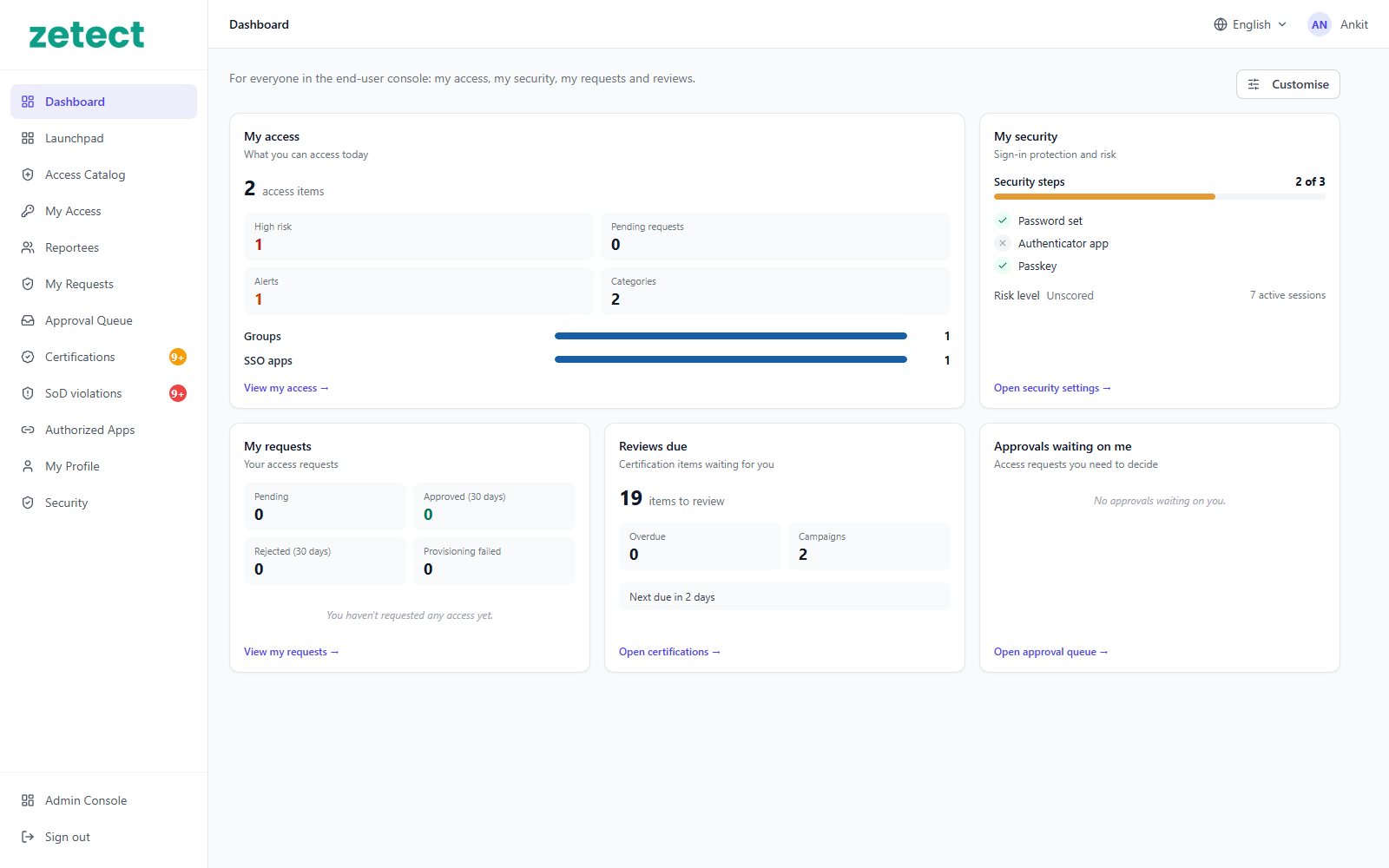
- A one-page summary of your access, security, requests and reviews. It appears only if your administrator has set one up for people like you, and it is then the first page you see.
- Launchpad
- Tiles for every application and privileged server you can use. Without a dashboard, this is the first page you see.
- Access request
- A request for an account, entitlement or privileged access. It goes to approvers before anything is granted.
- Certification
- A periodic review in which someone confirms that each person's access is still needed.
- Second factor
- A second proof of who you are after your password: a code by email or SMS, a code from an authenticator app, or a passkey.
The portal menu
| Menu | What it is for |
|---|---|
| Dashboard | A summary of what needs your attention. Shown only when a dashboard has been set up for you. |
| Launchpad | Open your applications and privileged servers. |
| Access Catalog | Request access for yourself, or for someone else if you are allowed to. |
| My Access | Everything you can reach today, and why. |
| Reportees | The access held by the people who report to you. If nobody reports to you, the page says so. |
| My Requests | The status of your access requests. |
| Approval Queue | Requests waiting for your decision. A badge shows how many. |
| Certifications | Access reviews assigned to you. A badge shows how many items are waiting. |
| SoD violations | Conflicts in the separation-of-duties policies you own. Shown only to policy owners. |
| Authorized Apps | Applications you have allowed to use your account. |
| My Profile | The details Zetect holds about you. |
| Security | Your password, second factors, sessions and risk. |
At the bottom of the sidebar, Sign out ends your session. Platform administrators also see Admin Console. The language selector at the top right changes the language of the portal.