
Using Your Dashboard
The Dashboard sums up what matters to you on one page: your access, your sign-in security, your requests, and any reviews or approvals waiting on you. It appears only when your administrator has set up a dashboard for people like you, and it is then the first page you see after signing in.
Applies to
People for whom at least one dashboard has been set up. Without one, the Dashboard menu is not shown and the portal opens on Launchpad.
Reading your dashboard
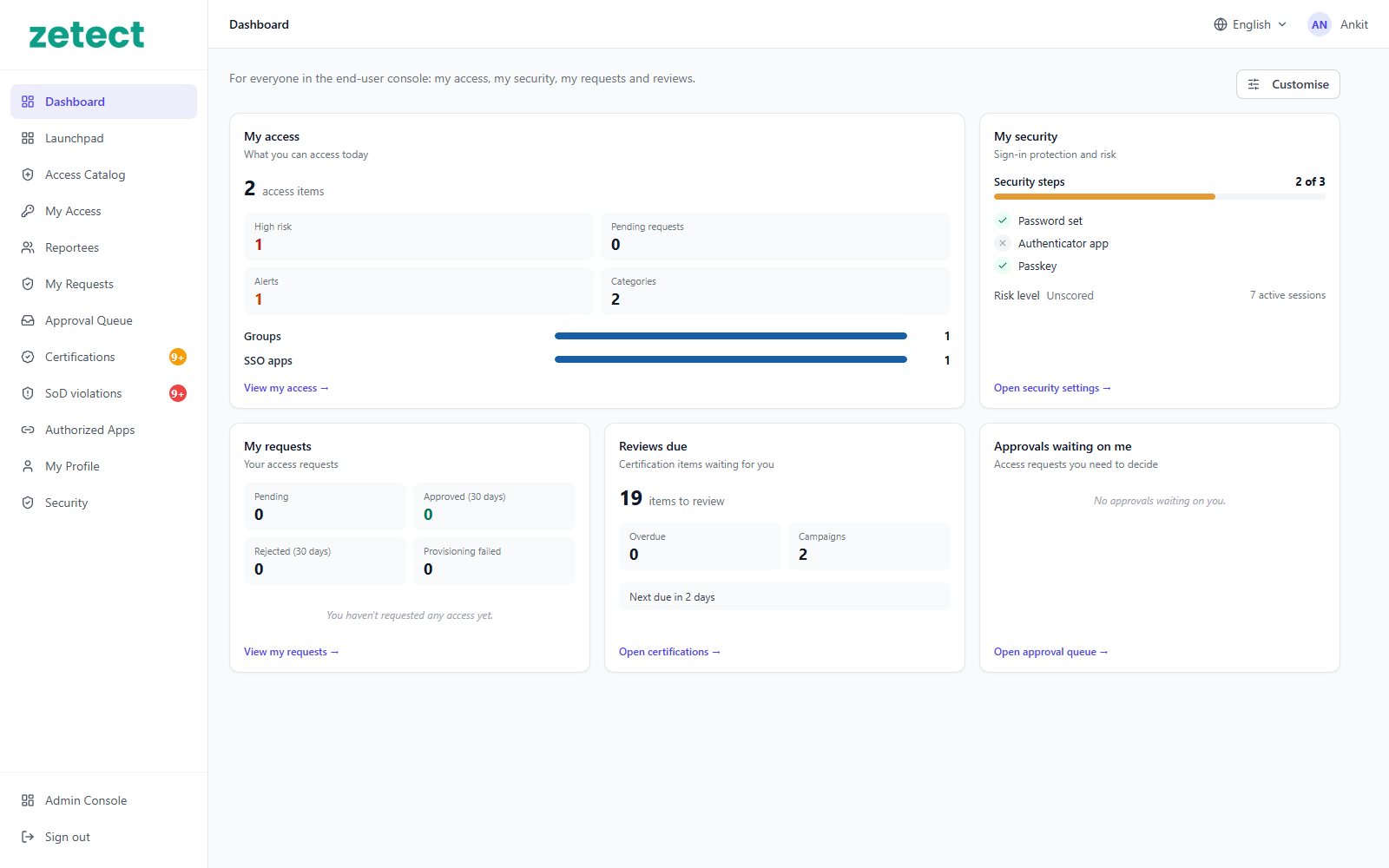
To read your dashboard:
- Sign in. If a dashboard applies to you, the portal opens on Dashboard. You can also select Dashboard in the sidebar at any time.
- If more than one dashboard applies to you, choose one from the tabs at the top of the page.
- Read the cards. Each one sums up one area, for example My access, My security or Reviews due.
- To act, select the link at the bottom of a card, such as View my access → or Open certifications →.
Customising the layout
You can hide cards or change their order. Only you see these changes. The Customise button appears only if your administrator allows it.
To customise the layout:
- Select Customise.
- Use the arrows to move a card up or down.
- Use the eye icon to hide or show a card.
- Select Done. To go back to the original layout, select Reset to default instead.
Dashboard cards
| Card | Description |
|---|---|
| My access | How many access items you hold, how many are high risk, pending requests, alerts, and a breakdown by category (privileged, groups, applications, SSO apps). Shows your next scheduled review if there is one. |
| My security | How many of the three security steps you have done (Password set, Authenticator app, Passkey), your risk level and how many sessions are active. |
| My requests | Your access requests: Pending, Approved (30 days), Rejected (30 days) and Provisioning failed. |
| Reviews due | Certification items waiting for you, how many are Overdue, how many Campaigns they belong to, and when the next one is due. |
| Approvals waiting on me | Access requests you need to decide, how many are overdue, and the oldest one waiting. |
| My SoD policies | For owners of separation-of-duties policies: open, critical/high and exempted violations of the policies you own. |
| Team access / Team risk | For managers: the access your reportees hold and how many of them are at high or critical risk. |