
Handling SoD Violations You Own
If you own a separation-of-duties (SoD) policy, SoD violations lists the people who hold a combination of access that your policy forbids. Revoke the conflicting access, or accept the risk for a limited time with an exemption.
SoD policy owners: people who own at least one SoD policy, themselves or through a group. For everyone else, the SoD violations menu does not appear. A red badge shows how many violations are open.
You see only violations of the policies you own. An exemption can last at most 365 days.
Reviewing violations
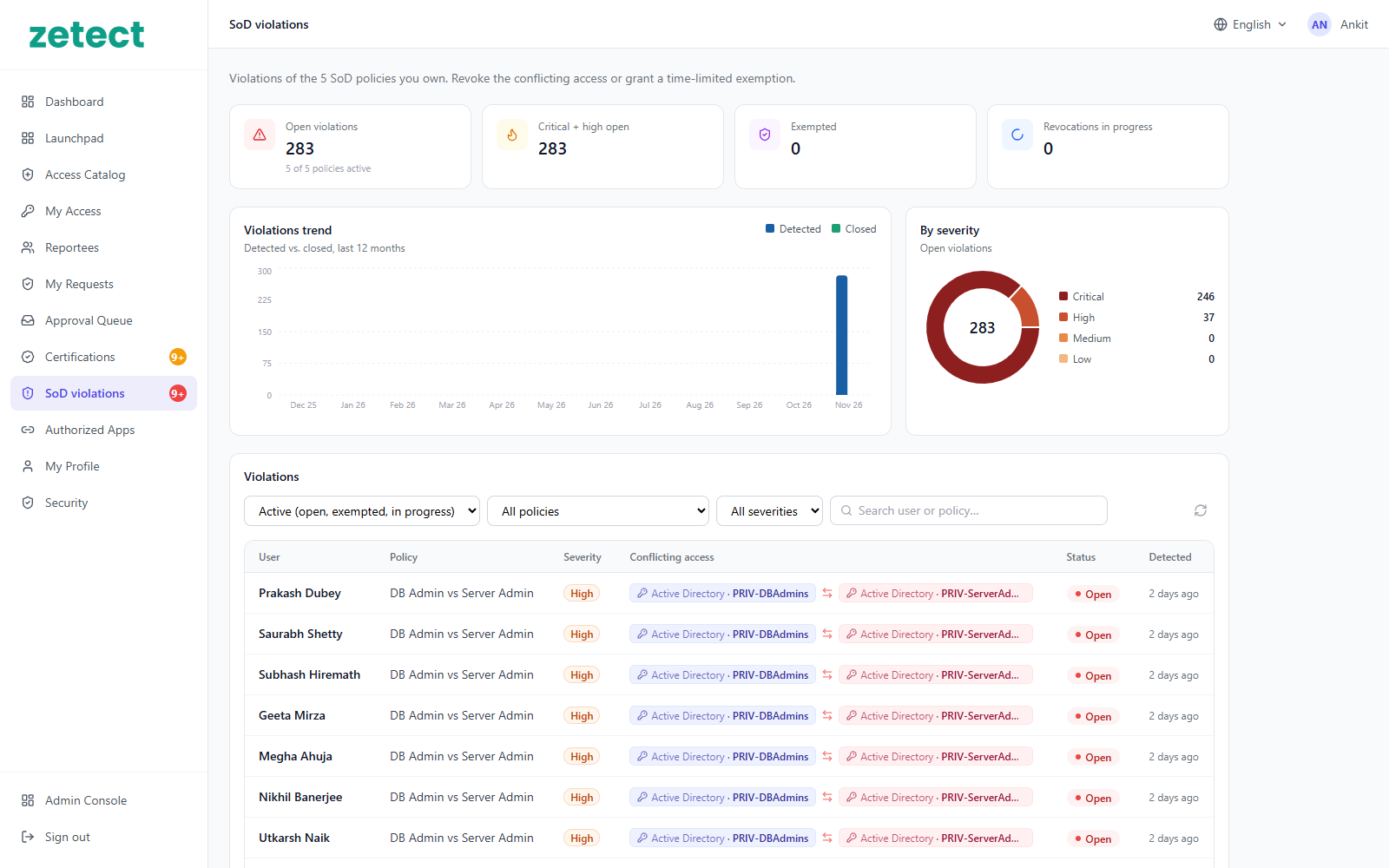
To review violations:
- Select SoD violations in the sidebar.
- Read the summary cards and charts: Open violations, Critical + high open, Exempted, Revocations in progress, the Violations trend for the last 12 months, and the split By severity.
- In the Violations list, filter by status, policy and severity, or search for a user or policy.
- Select a violation to open it. Why was this flagged shows the access the person holds from each side of the policy.
Revoking conflicting access
To revoke conflicting access:
- Open the violation.
- Select Revoke access.
- Tick the access to remove. Removing either side resolves the conflict.
- Select Revoke n items.
What happens next: the status changes to Revocation in progress while the removal is sent to the target applications or privileged assets, and the violation closes once the access is gone. Follow the progress under Activity.
Granting an exemption
To accept a conflict for now:
- Open the violation.
- Select Grant exemption.
- Enter a Justification: why the combination is acceptable and what compensating controls are in place.
- Pick a date in Exemption ends on.
- Select Grant exemption.
The violation is marked Exempted. It reopens automatically when the exemption ends.
Extending or ending an exemption
To change an exemption:
- Open the exempted violation.
- Choose an action:
- Extend exemption to change the end date.
- Revoke exemption to reopen the violation now.
Violation fields
| Field | Description |
|---|---|
| User | The person who holds the conflicting access. |
| Policy | The SoD policy that is broken. |
| Severity | Low, Medium, High or Critical, as set on the policy. |
| Conflicting access | The access from Set A and from Set B that cannot be held together. |
| Status | Open, Exempted, Revocation in progress, Remediated or Resolved. The default filter shows the active ones: open, exempted and in progress. |
| Detected | When the violation was first found. |
| Exemption ends on | A date between tomorrow and 365 days from today. |
| Activity | The history of the violation: detected, exempted, revocation requested, access removed, and so on. |