
Configuring Dashboards
Build dashboards from catalog widgets and decide who gets them, in the admin console or the end-user console. A dashboard only chooses the layout: every widget is still checked against each viewer's permissions and the tenant's license, unless you grant organisation-wide insight on an end-user console dashboard.
Dashboards – View to see the list. Dashboards – Add to create or duplicate, Dashboards – Edit to change, activate or deactivate, and Dashboards – Delete to delete. Dashboards – Grant to turn on or change an organisation-wide insight grant. All are under Configuration in an administrator group.
Creating a dashboard
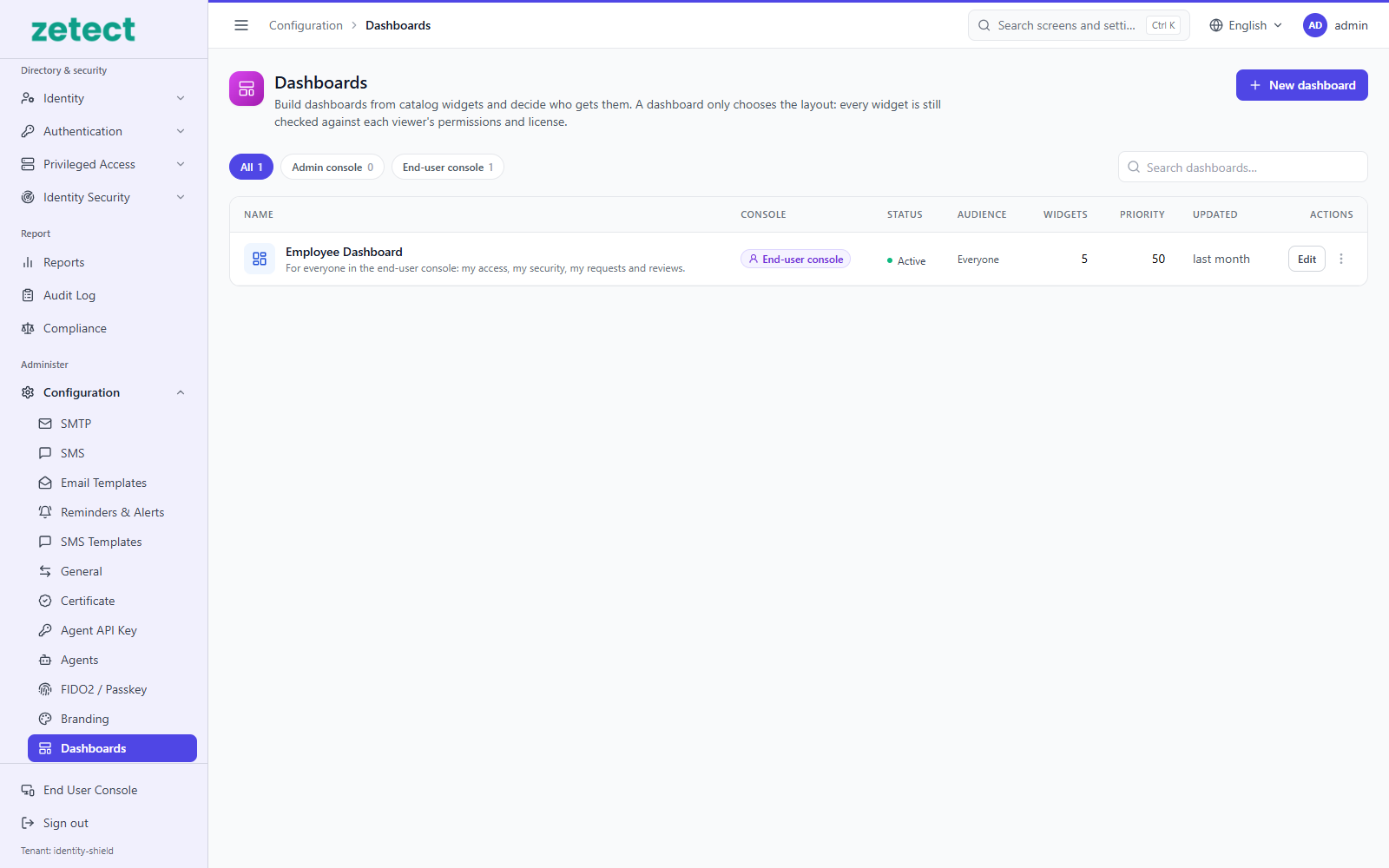
To create a dashboard:
- Go to Configuration → Dashboards.
- Select New dashboard.
- Pick a template, or under Or start from scratch pick a blank dashboard for one console.
- On the Layout tab, build the layout:
- Add widgets from the Widgets list.
- Drag cards to reorder them.
- Set each card's width.
- On the Audience tab, add rules for who gets the dashboard, and any Exclusions. Who matches shows how many users match and whether they also get other dashboards.
- For an end-user console dashboard, use the Access & insight tab if the audience needs organisation-wide insight.
- On the Settings tab, set the Name, Description, Priority and Let viewers personalise.
- Select Create.
New dashboards start as drafts, visible only on this page. Activate the dashboard when it is ready.
Dashboard fields
| Field | Description |
|---|---|
| Console | Admin console: shown as a tab on the admin Dashboard. End-user console: shown on the end-user Dashboard. It can't be changed after the dashboard is created. |
| Status | Only active dashboards are shown to their audience. Drafts are visible on this page only. |
| Audience | A summary of the rules, for example "Everyone" or "2 groups". |
| Widgets | How many widgets are in the layout. |
| Priority | From 0 to 1000. When a user gets several dashboards, the highest priority opens first. |
| Rule group | Conditions of type Group, User, Attribute or Everyone. All conditions in a rule group must match, and a user who matches any rule group gets the dashboard. |
| Exclusions | Anyone who matches an exclusion never gets the dashboard. |
| Grant organisation-wide insight | End-user console only. Lets the audience see the chosen organisation-wide widgets without the module permission, for example a CISO who only uses the end-user console. Granted widgets show counts and trends only, never per-person records, and only if they are in the layout. |
| Let viewers personalise | Viewers can hide and reorder widgets for themselves and reset to your layout. They can't add widgets. |
Dashboard templates
| Template | For |
|---|---|
| Platform Admin Dashboard | Platform health: identities, agents, aggregation, license, background jobs and admin changes. |
| CISO Dashboard | Security posture: SoD violations, account risk, standing privileged access, sign-in risk, compliance readiness and certification coverage. |
| Access Manager Dashboard | Access request flow: funnel, approval SLA, bottlenecks, provisioning failures and expiring access. |
| PAM Operations Dashboard | Live sessions, session activity, credential rotation and asset connectivity. |
| Line Manager Dashboard | End-user console: the team's access and risk, and approvals and reviews waiting on the manager. |
| Employee Dashboard | End-user console: my access, my security, my requests and reviews. |
Checking who gets a dashboard
To preview a dashboard as a particular user:
- Open the dashboard from Configuration → Dashboards.
- Select the Preview as user tab.
- Pick a user.
The preview shows whether that user gets the dashboard and which widgets they would see with their own permissions.
Activating and managing dashboards
To change a dashboard's status or copy it:
- Go to Configuration → Dashboards. Filter by Admin console or End-user console, or type in Search dashboards….
- Open the row menu of the dashboard.
- Select Activate, Deactivate, Duplicate or Delete.
Example
A dashboard for security leadership who only use the end-user console:
| Template | CISO Dashboard |
| Console | End-user console |
| Audience | Group: Security Leadership |
| Access & insight | Grant organisation-wide insight for SoD violations and certification coverage |
| Priority | 500 |
| Let viewers personalise | On |