
Using the Compliance Pack
The Compliance Pack shows how your identity and access data measures up against a compliance framework, with evidence to download. Each control is checked against Zetect's compliance reports and graded, so you can see what needs attention before an audit. Controls cover the identity, access and logging evidence Zetect holds; they are not a full audit of the framework.
Compliance – View in an administrator group. It is the same permission as Reports – View and Audit Log – View.
Only the frameworks your Zetect provider has enabled for your tenant are listed. Tenant administrators can't change the list.
Checking a framework
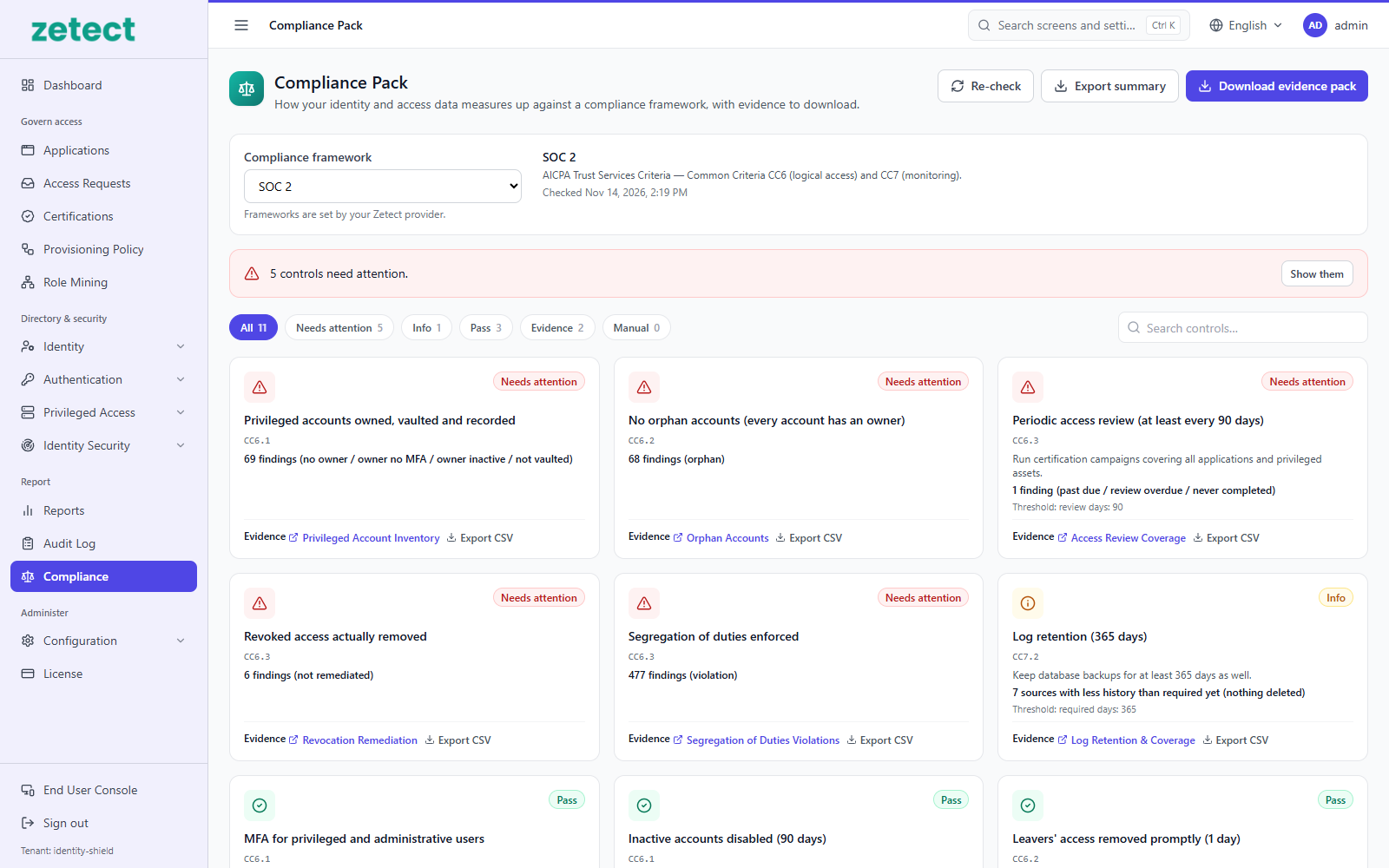
To check a framework:
- Go to Report → Compliance. The checks run when the page opens.
- Choose a framework from the Compliance framework drop-down. Its description and the time it was checked appear beside it.
- If controls need attention, a banner says how many. Select Show them to list only those.
- Filter by status with the chips (All, Needs attention, Info, Pass, Evidence, Manual), or type in Search controls….
- On a control card, read the result, the thresholds used and the evidence report.
When you have fixed something, select Re-check to run the checks again.
| Field | Description |
|---|---|
| Clause | The framework clause the control maps to. Indian regulators' controls are labelled by domain rather than clause number. |
| Control | The requirement being checked. |
| Status | The grade. See Control statuses. |
| Result | What the check found, for example "68 findings (orphan)". |
| Threshold | The threshold values used for this control, for example "review days: 90". |
| Evidence | The report that backs the control, with a link to open it and an Export CSV link. |
Control statuses
| Status | Meaning |
|---|---|
| Pass | The check found nothing wrong. |
| Needs attention | The check found findings that should be fixed. |
| Info | A result to note, not a failure. |
| Evidence | The report is evidence for an auditor to review. There is no pass or fail. |
| Manual | The control is outside Zetect and must be checked another way. |
| Error | The check could not be run. Select Re-check. |
Downloading evidence
To download evidence:
- Go to Report → Compliance and choose the framework.
- Choose what to download:
- Export summary – a CSV of every control and its result.
- Download evidence pack – the summary plus one CSV per evidence report.
- Export CSV on a control card – that control's evidence only.
To look into a control's findings, select the evidence report's name on its card. The report opens under Reports with this framework's thresholds filled in. See Compliance reports.
Which frameworks appear
The frameworks that apply to your organisation are set by your Zetect provider. Frameworks available include PCI DSS, SOC 2, ISO 27001, HIPAA, CERT-In, RBI, IRDAI and SEBI. If none are enabled, the page says so. Contact your provider to change the list.