
Controlling Allowed Operations
Choose what Zetect may do on an application. Switch off an operation, such as Delete, to stop Zetect from ever sending it, for example while you test a new connection or when accounts must be deleted by hand.
The application has a connection. Without one there is nothing to choose here.
Applications – View in an administrator group.
Provisioning applications.
Choosing the allowed operations
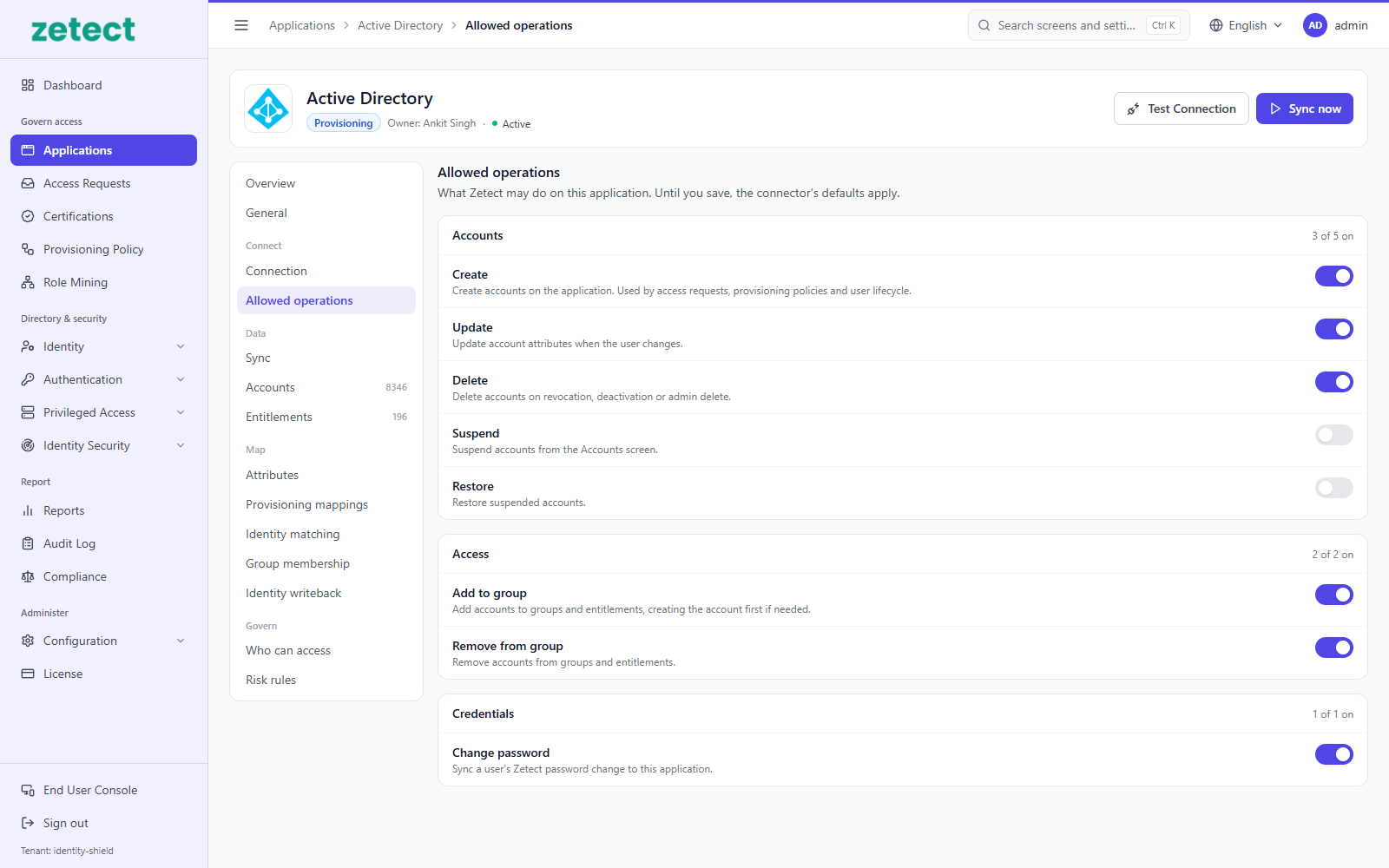
To choose the allowed operations:
- Open the application and select Allowed operations under Connect.
- Switch each operation on or off. The count in each group, such as "3 of 5 on", updates as you go.
- Select Save changes in the bar at the bottom, or Discard.
Until you save, the connector's defaults apply. After you save, only the operations switched on are sent, even if that is none. A request that needs an operation that's off is logged as not supported and doesn't reach the application. On Accounts, the Suspend, Restore and Delete buttons are disabled when their operation is off.
Operations
| Group | Operation | What it allows |
|---|---|---|
| Accounts | Create | Create accounts on the application. Used by access requests, provisioning policies and user lifecycle. |
| Accounts | Update | Update account attributes when the user changes. |
| Accounts | Delete | Delete accounts on revocation, deactivation or admin delete. |
| Accounts | Suspend | Suspend accounts from the Accounts screen. |
| Accounts | Restore | Restore suspended accounts. |
| Access | Add to group | Add accounts to groups and entitlements, creating the account first if needed. |
| Access | Remove from group | Remove accounts from groups and entitlements. |
| Credentials | Change password | Sync a user's Zetect password change to this application. |
Example: no deletes during a pilot
| Accounts | Create, Update on · Delete, Suspend, Restore off |
| Access | Add to group, Remove from group on |
| Credentials | Change password off |
With this setup, people can be given accounts and group memberships, but when access is revoked or someone leaves, the delete is logged as not supported and the account stays on the application for you to remove by hand.