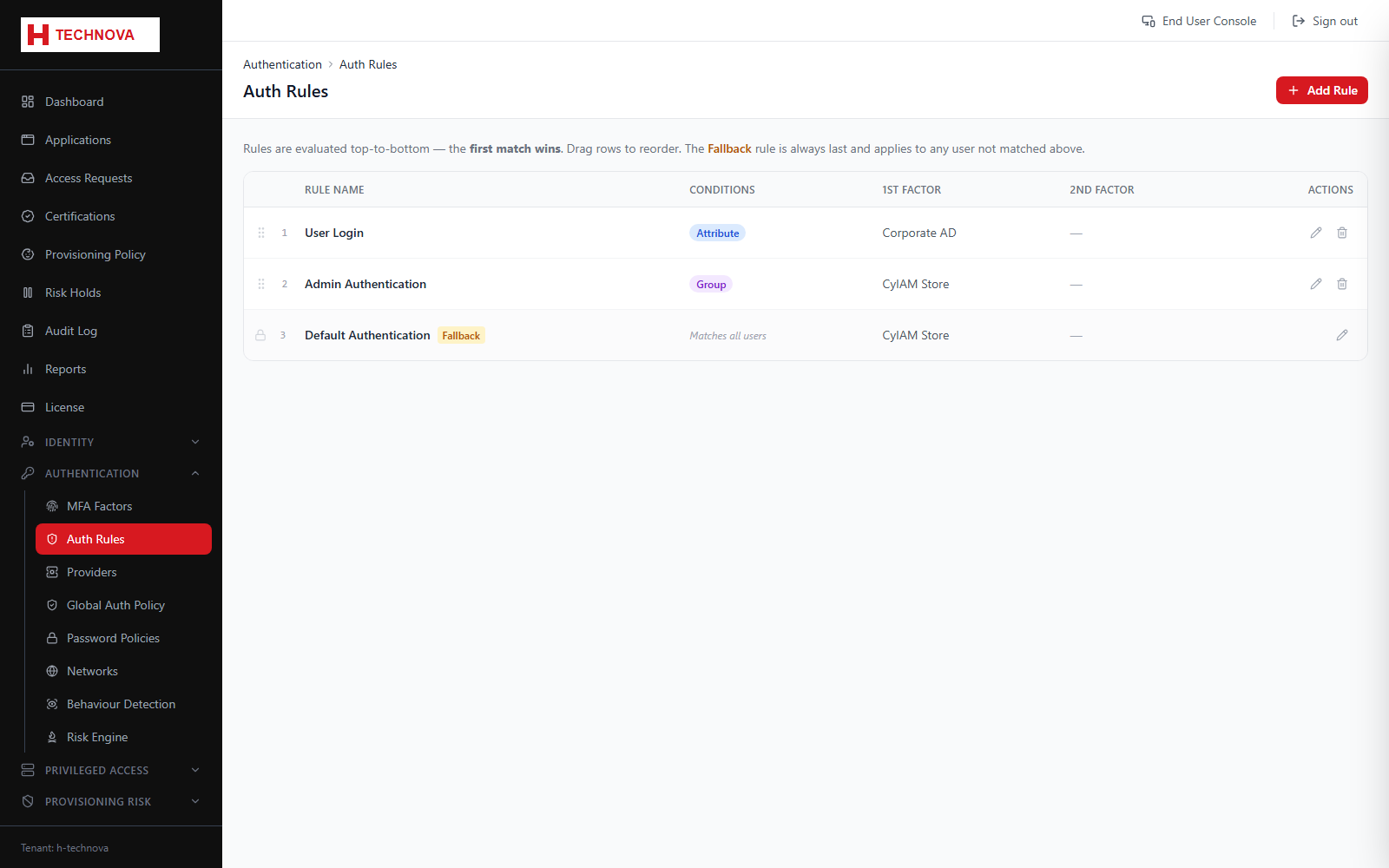
Authentication Rules decide, per sign-in, which provider verifies the first factor and which second factors are demanded. Conditions can target group membership, attributes or the risk level computed for the attempt.
Authentication Rules — captured from the h-technova tenant.
How to use it
Open Authentication → Auth Rules and add a rule.
Name it and set a sort order — lower numbers are evaluated first.
Add conditions, for example membership of the Platform Admin group.
Choose the first-factor provider, such as CyIAM Store or Corporate AD.
Optionally require one or more MFA factors.
Save. The rule takes effect on the next sign-in attempt.
Field reference
Field
Description
Sort order
Evaluation order. The first matching rule wins, so put specific rules above general ones.
Conditions
Group, attribute or risk-level tests that determine whether the rule applies.
First factor provider
CyIAM Store for local passwords, LDAP for directory authentication, or an external IdP for federated sign-in.