
Risk Management Overview
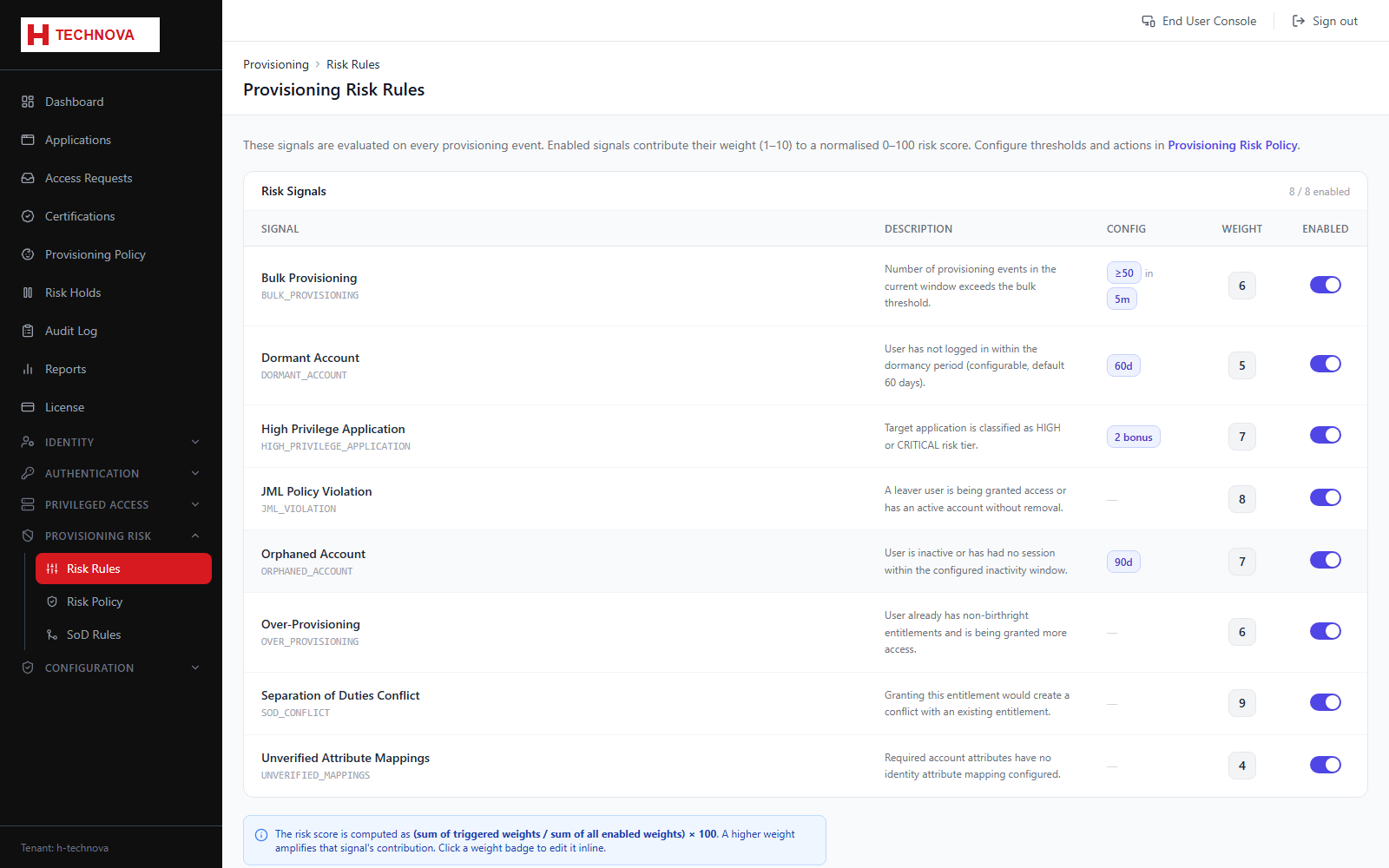
Zetect scores risk in three places: how people sign in and behave (Behaviour Risk), what application accounts hold (Provisioning Risk), and what privileged accounts hold (PAM Risk). Each score maps to a level from Low to Critical. You decide what each level does: step up authentication at sign-in, show the risk to the people who approve and review access, and raise detections in Identity Security.
- Ask for more proof only when it matters. Authentication rules can use the sign-in's risk level as a condition, for example to ask for MFA only when risk is raised.
- Help approvers decide. The approver of an access request sees the risk if the access were granted, and why, before deciding.
- Find risky accounts. After each sync, application and privileged accounts are scored, and accounts at your chosen level open detections.
- Tune risk to each system. Weight and configure signals for the tenant, then override them for one application or asset, with a reason.
Before you begin
- For sign-in risk, define your trusted and untrusted networks. See Defining Networks.
- For provisioning and PAM risk, onboard applications or assets and run their syncs. See Aggregating Accounts and Entitlements and Managing Asset Accounts.
- To raise detections, set up Identity Security. See Identity Security.
Behaviour Risk – View for Behaviour Risk, and Provisioning Risk – View or PAM Risk – View for the other two (the same permission as Configuration → General), in an administrator group. The Raise detections controls also need ITDR – View, and ITDR – Edit to change them.
Key concepts
- Signal
- One check that can fire, such as a sign-in from a new device or a dormant account. Each signal that fires adds to the score.
- Risk score
- A number from 0 to 100 built from the signals that fired.
- Risk level
- Low, Medium, High or Critical, set by score bands you choose.
- Weight
- For provisioning and PAM signals, 1 to 10: how strongly a signal raises the score when it fires. Behaviour signals use points instead.
- Override
- A different weight, setting or band for one application or asset, saved with a reason.
- Identity score
- A person's provisioning risk: the score of their riskiest account across applications and privileged assets.
Tasks in this topic
Audit events and reports
Changes to provisioning and PAM risk signals, risk policies and per-application or per-asset overrides are written to the audit log. Birthright and joiner, mover and leaver provisioning with a risk above Low is flagged there too. See Reviewing the Audit Log. Risk scores also appear on each identity's page (Viewing an Identity), on the dashboard and in Identity Security detections.