
Separation of Duties Overview
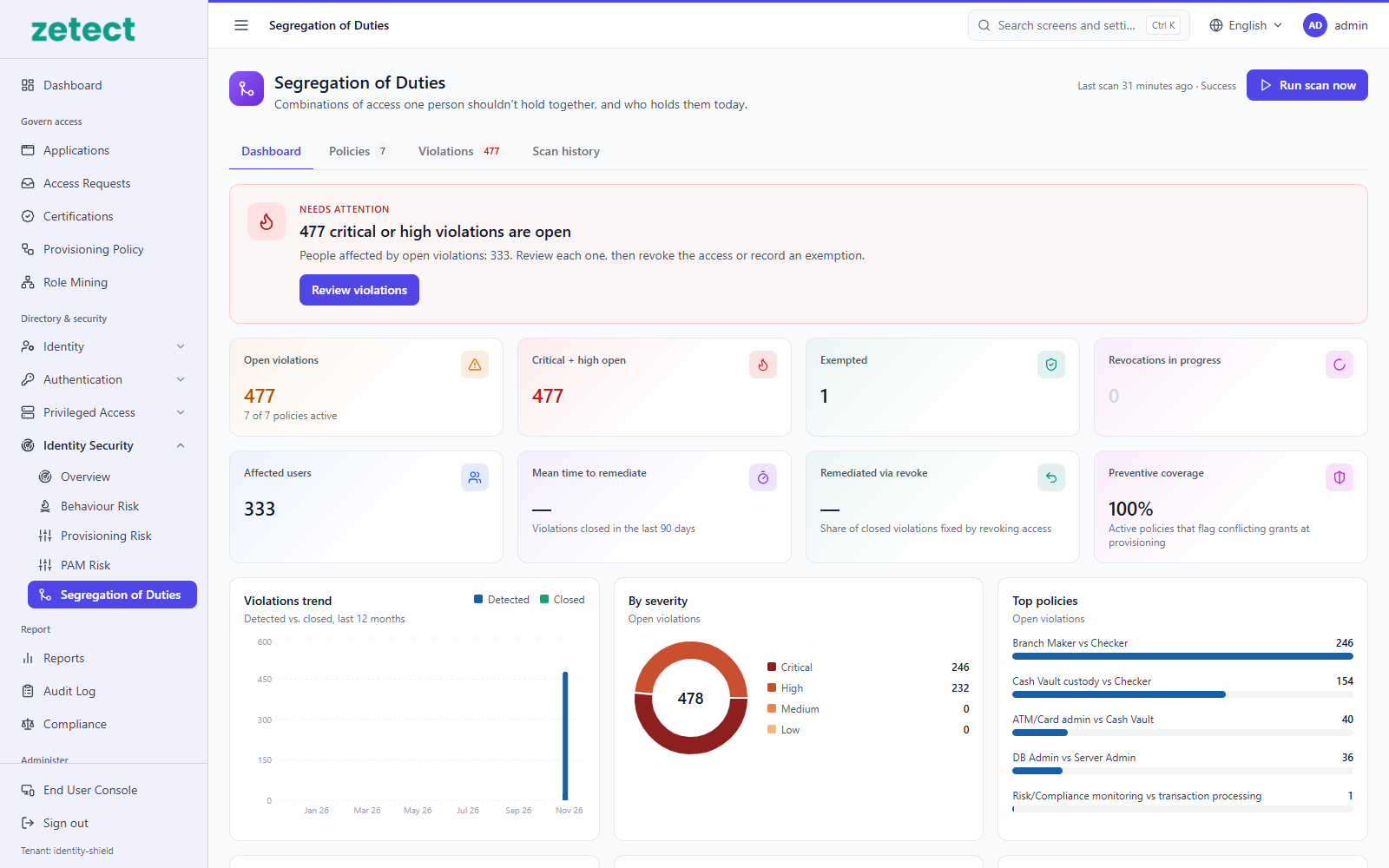
Separation of Duties (SoD) stops one person from holding two pieces of access that together allow fraud or error, such as creating a vendor and approving its payment. You define the conflicting access in a policy; Zetect finds everyone who holds both sides, and the policy owner revokes the access or grants a time-limited exemption.
- Provide an internal control. Write each rule once as a policy with two sets of access, an owner and a severity.
- Cover applications and privileged assets. A conflict can span an application entitlement and a privileged group on a server.
- Find every violation. Scans check everyone's access every hour, after aggregations and whenever a policy changes.
- Resolve with an audit trail. Revoke one side through provisioning, or record an exemption with a justification and an end date.
- Catch conflicts before they happen. Approvers see conflicts before deciding, and automatic privileged grants that would create one are blocked.
Before you begin
- Aggregate the applications and privileged assets whose access you want to check. See Aggregating Accounts and Entitlements and Managing Asset Accounts.
- Match accounts to identities. Only matched accounts are checked. See Matching Accounts to Identities.
- To revoke access from Zetect, configure provisioning on the application or asset and allow the removal operations. See Controlling Allowed Operations.
Segregation of Duties – View in an administrator group to open the page. Add, Edit and Delete to create, change and delete policies. Edit also lets you run scans and act on violations.
Tenants licensed for provisioning.
Key concepts
- SoD policy
- A rule naming two sets of access, Set A and Set B, that one person shouldn't hold together.
- Violation
- A person who holds at least one item from Set A and one from Set B of an active policy.
- Policy owner
- The user or group responsible for a policy. The owner is notified about its violations and can resolve them from the end-user portal.
- Scan
- A check of everyone's current access against the active policies. It opens, refreshes and closes violations.
- Exemption
- A recorded, time-limited acceptance of a violation. The violation reopens when it ends.
- Enforce at provisioning
- A policy setting that checks new grants for conflicts before access is given.
Tasks in this topic
Monitor
Audit events and reports
The audit log records policy creation, changes, deletion and deactivation, scan requests, exemptions granted and revoked, revocations requested, and automatic privileged grants blocked by a policy. See Reviewing the Audit Log.
The Segregation of Duties report under Running Reports lists everyone currently holding both sides of a conflict. The SoD dashboard and the main dashboard's SoD widgets are described in SoD Dashboard and Reports.