
Roles Overview
A role in Zetect bundles the access people in the same job need. It is a resource group, or an attribute value such as a department, paired with a provisioning policy that grants the bundle. Role mining finds candidate roles in the access people already hold, so you can turn shared access into automatic access.
- Discover roles from real access. Role mining groups people by identity group and attribute value and proposes the access most of them share.
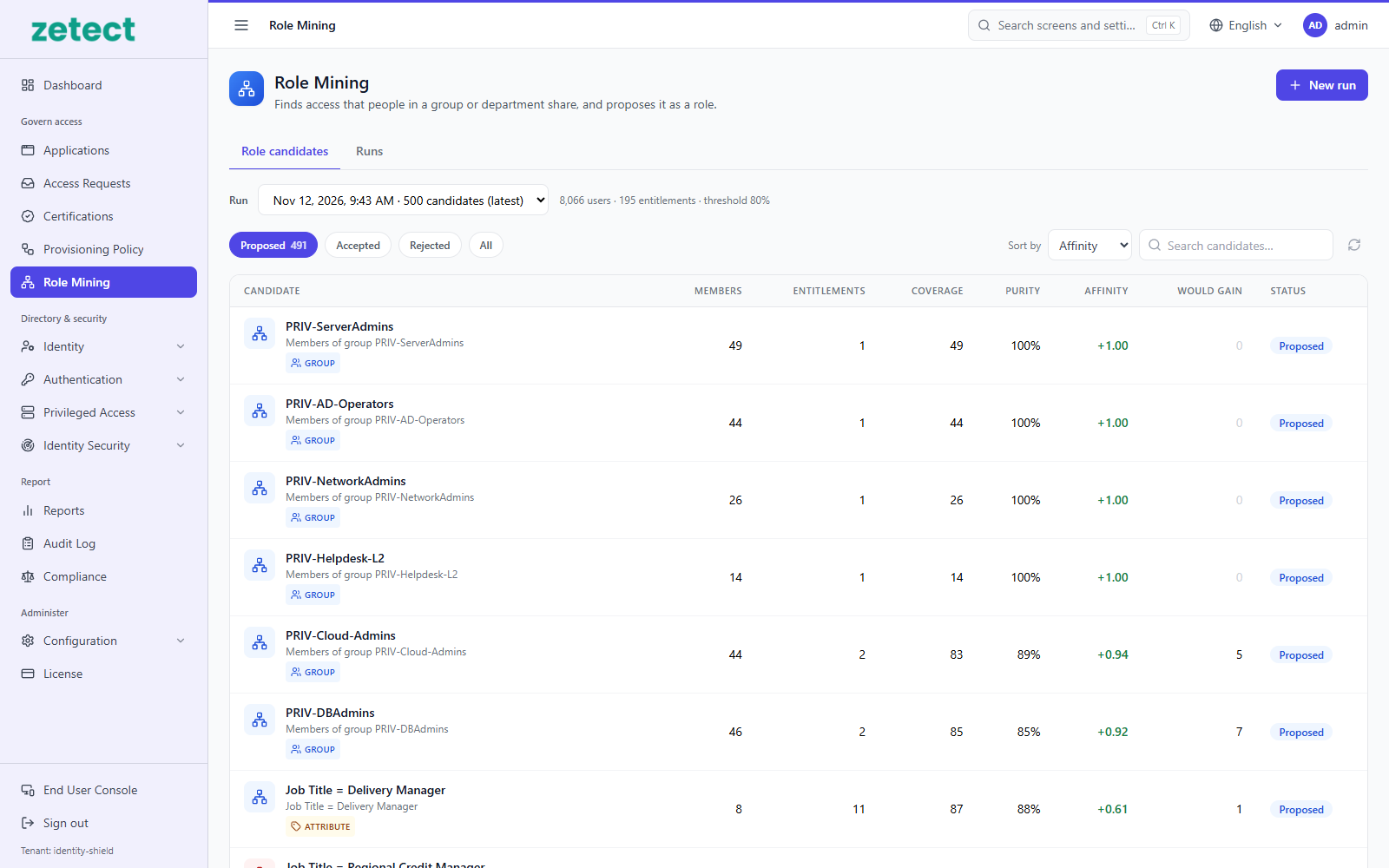
- Judge each candidate on numbers. Coverage, purity, affinity and "would gain" show how good a role is and what accepting it would change.
- Turn a role into birthright access. Accepting a candidate creates a provisioning policy, so new and moved people get the access automatically.
- Spot conflicts early. Each candidate is checked against your segregation-of-duties policies before you accept it.
Before you begin
- Aggregate accounts and entitlements from your applications and privileged assets, and match accounts to identities. Only accounts matched to active users count. See Aggregating Accounts and Entitlements and Matching Accounts to Identities.
- Import or create the resource groups you want to mine on. See Managing Groups and Importing Source Groups.
- Make sure the identity attributes you want to mine on, such as department or job title, are populated. See Managing Identity Attributes.
Required permission
Role Mining – View in an administrator group to see runs and candidates. Role Mining – Add to start a run. Role Mining – Edit to accept or reject candidates.
Applies to
Tenants whose license includes identity governance.
Key concepts
- Role
- A resource group, or an attribute value, plus the provisioning policy that grants its access. Groups that carry a role show the policies in their Role access section.
- Segment
- A set of people that role mining compares: the members of one resource group, or everyone with one value of an identity attribute.
- Role candidate
- The access most members of a segment share, proposed as a role. It is Proposed until you accept or reject it.
- Run
- One pass of role mining over current access, with its own segments and thresholds. Earlier runs and decisions are kept.
Tasks in this topic
Learn
Operate
Audit events and reports
Accepting and rejecting a role candidate are written to the audit log, with the candidate's name. The provisioning policy an accepted role creates is listed under Govern access → Provisioning Policy. See Reviewing the Audit Log.