
Compliance and Reporting Overview
Zetect keeps a record of who has access, how they got it and what everyone did. Ready-made reports turn that record into lists you can search and export, the Compliance Pack grades it against the frameworks your organisation follows, and the audit log answers "who did this?".
- Answer access questions quickly. Open a ready-made report on users, accesses, requests, reviews, syncs, sign-ins or privileged sessions, and export it as CSV.
- Find compliance gaps before an audit. Run compliance reports for dormant accounts, leavers who still have access, orphan accounts, MFA gaps, stale privileged passwords and more.
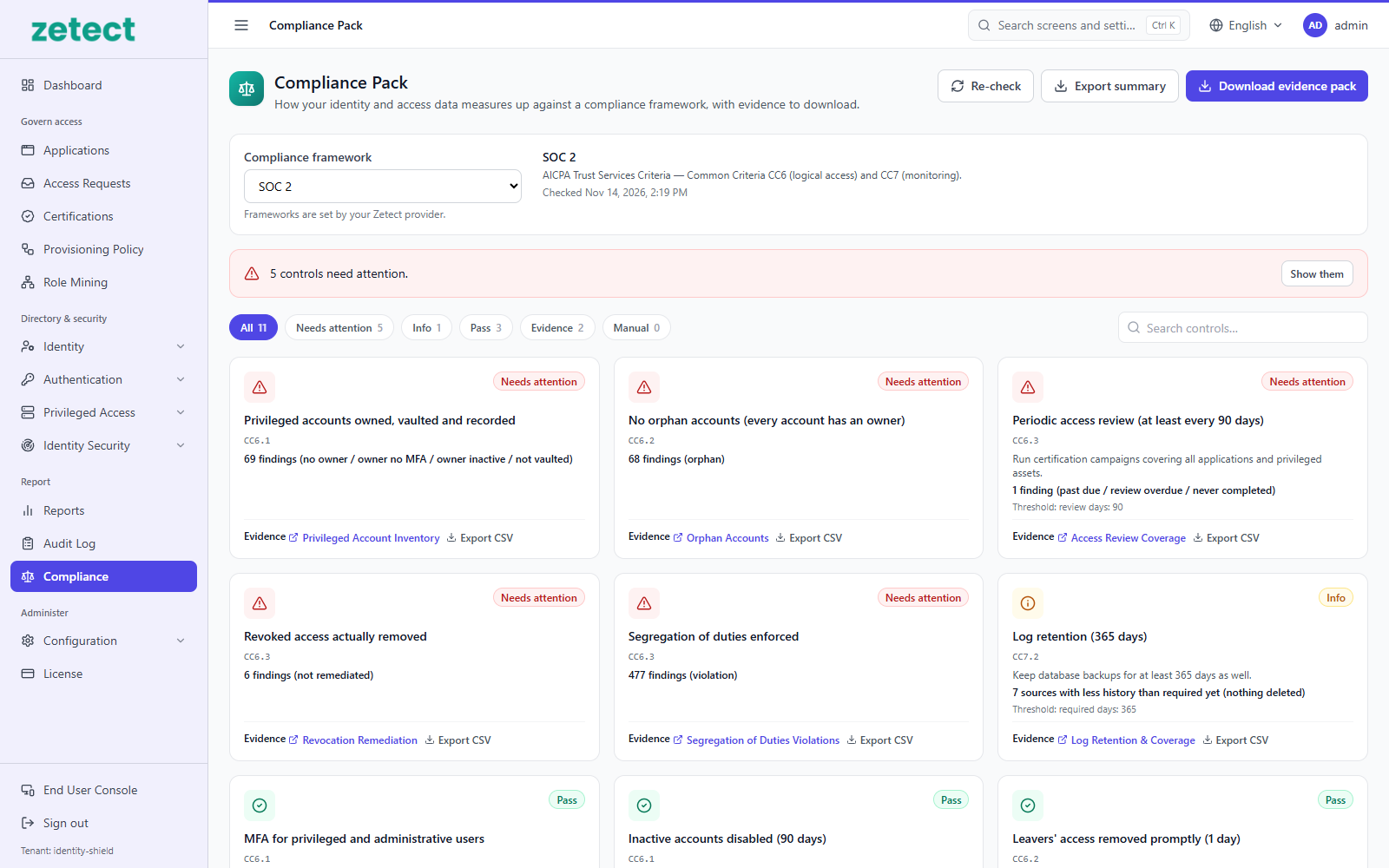
- Produce framework evidence. See each framework control graded from your own data, and download an evidence pack for the auditor.
- Trace every change. Search the audit log by resource, action, outcome, person and date, and export what you find.
Before you begin
- Reports draw on the data Zetect already holds. Import people and aggregate accounts first. See Configuring Identity Sources and Aggregating Accounts and Entitlements.
- The frameworks shown in the Compliance Pack are enabled for your tenant by your Zetect provider.
Reports – View, Audit Log – View or Compliance – View in an administrator group. The three menus share one permission, so ticking one ticks all three.
Key concepts
- Report
- A ready-made, searchable list of data that you can export as CSV.
- Compliance report
- A report that runs on the server and marks each row with a finding. Some take threshold inputs, such as the number of days without a sign-in.
- Compliance framework
- A standard or regulation, such as PCI DSS or ISO 27001, whose identity and access controls Zetect checks.
- Control
- One requirement of a framework, mapped to a compliance report and thresholds, and graded Pass, Needs attention, Info, Evidence or Manual.
- Evidence pack
- A download with the control summary and one CSV per evidence report.
- Audit event
- One recorded action: who did what to which resource, when, from where, and with what outcome.
Tasks in this topic
Report
Prove compliance
Investigate
Audit events and reports
Opening and exporting a report from a dashboard widget is written to the audit log as View Report and Export Report. See Using the Dashboard. The Admin Change Log compliance report lists administrators' configuration and user changes from the audit log, and Log Retention & Coverage shows how much history each log source holds.