
Dashboards and Notifications Overview
Dashboards show administrators and end users what needs attention and how each area of the platform is doing. Notifications are the emails and text messages Zetect sends: one-time codes, account messages, approvals, alerts and reminders for work that is waiting on someone.
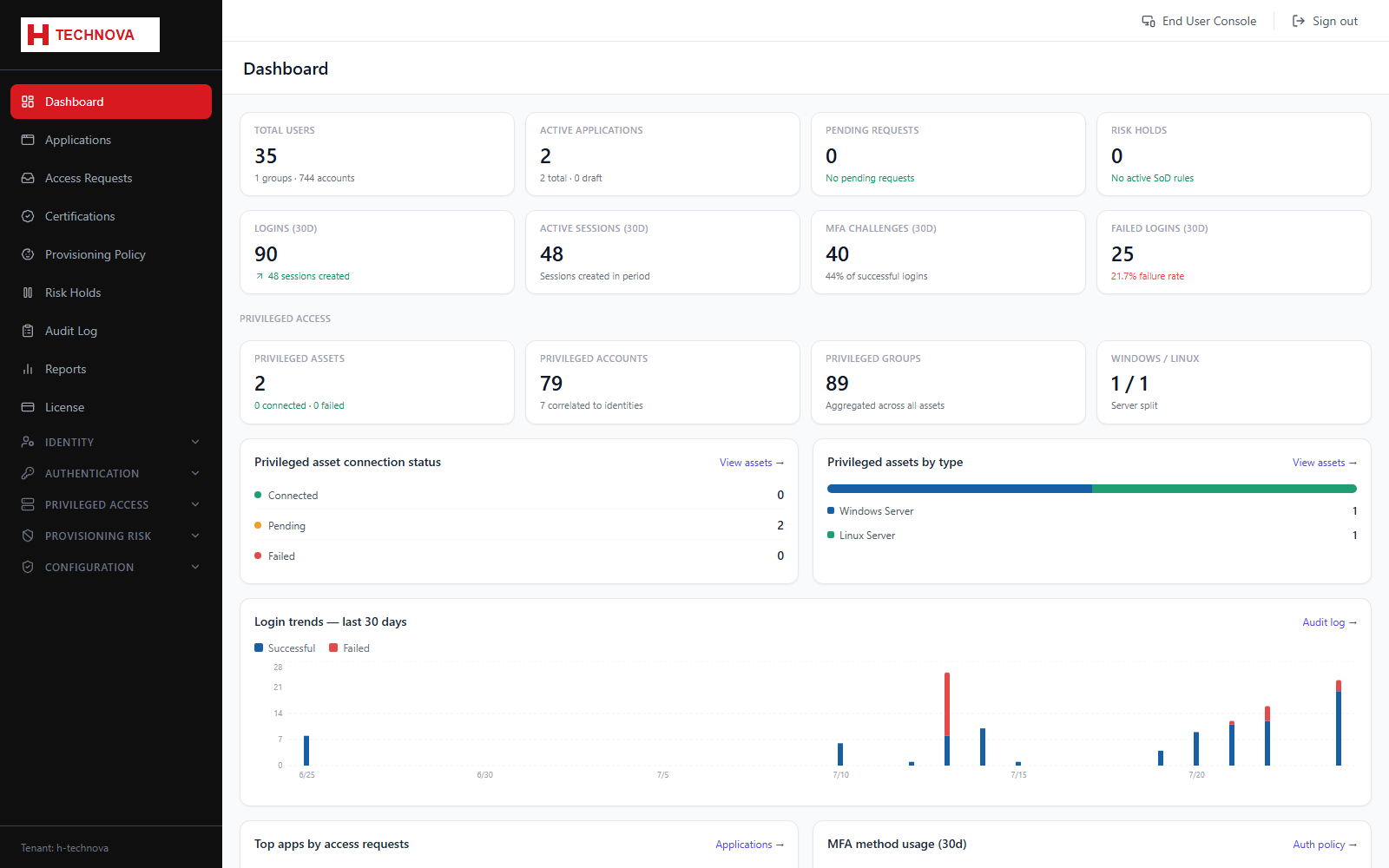
- See what needs you now. The admin Dashboard puts the most urgent problem first, with a button to act on it.
- Get the rows behind a number. Open the report behind any widget, filter it and export it as CSV.
- Give each audience its own dashboard. Build dashboards for groups of administrators or end users, such as a CISO or line managers.
- Deliver messages your way. Send email through your own mail server or an email API, and text messages through your SMS provider.
- Chase pending work. Remind approvers, reviewers and policy owners on a schedule, and escalate to managers.
Before you begin
- Email and SMS templates, reminders and alerts only reach people once delivery is set up. See Configuring Email and Configuring SMS.
- Reminders and SMS codes go to the identity attributes chosen as the email and mobile attributes. See General Configuration.
Required permission
None for the Dashboard. For the configuration pages: SMTP, SMS, Email Templates, SMS Templates, Reminders & Alerts and Dashboards under Configuration in an administrator group.
Key concepts
- Widget
- A card on a dashboard that shows one figure, chart or list. Each widget is checked against the viewer's permissions and the tenant's license.
- Widget report
- The row-level data behind a widget, opened from the admin Dashboard.
- Configured dashboard
- A dashboard an administrator builds for an audience, for the admin console or the end-user console.
- Template
- The subject and body of an email or text message. Variables such as
{{username}}are filled in when the message is sent. - Reminder
- A scheduled email about an item still waiting on someone, such as a pending approval. Reminders are combined into one digest per person.
- Event alert
- A one-off email sent when something happens, such as a new request or a new SoD violation. It is turned on or off with its template.
Tasks in this topic
Audit events and reports
Changes to email and SMS settings, templates, reminder settings and dashboards are written to the audit log. Each view and export of a widget report is also recorded, with resource type Dashboard Report. See Reviewing the Audit Log.