Provisioning → Account Aggregation
Controls how accounts are imported from the target: on demand, or on a schedule. Aggregation is what keeps Zetect's picture of "who has an account where" accurate.
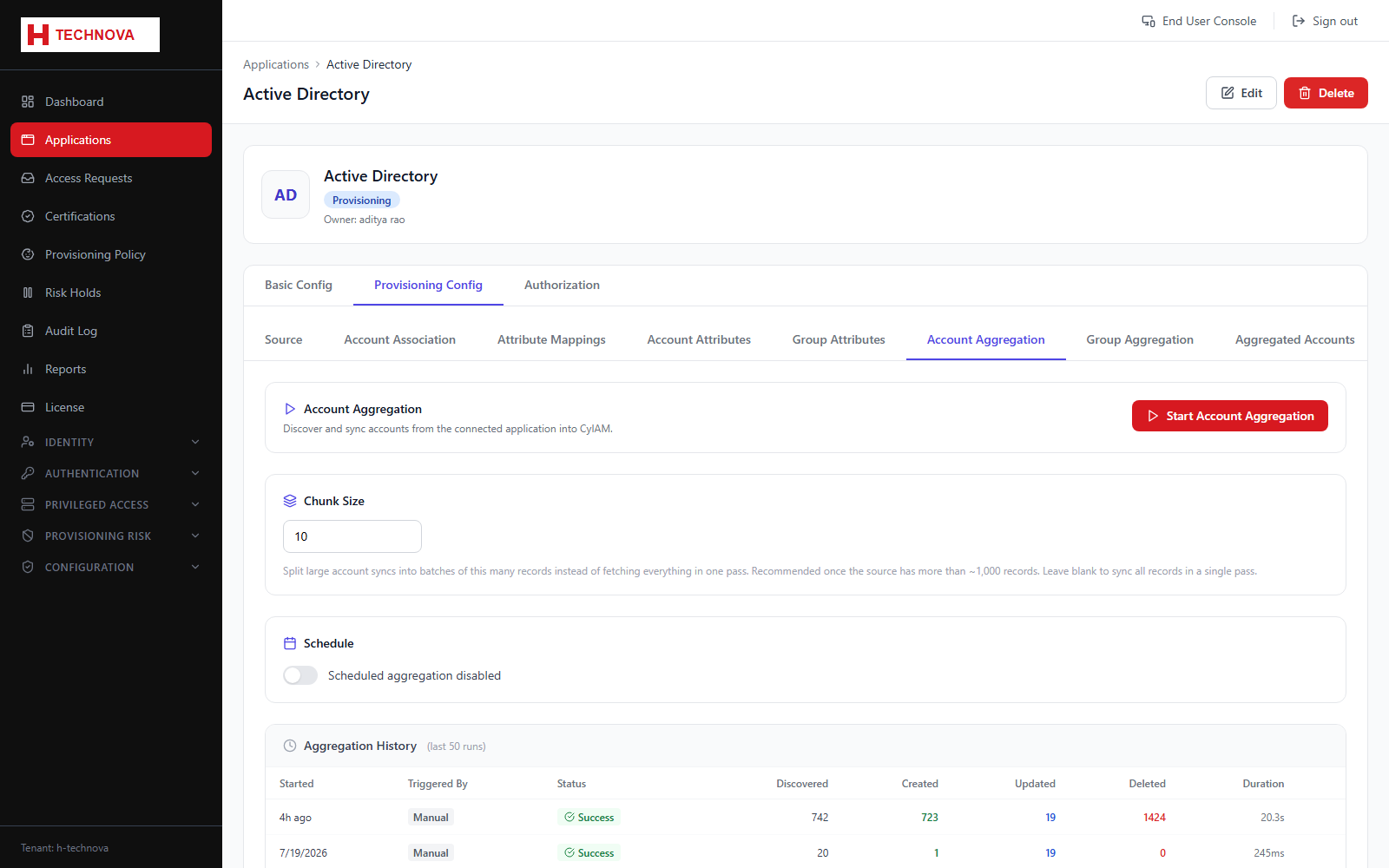
How to use it
- Open Provisioning Config → Account Aggregation.
- Run an aggregation manually to test the configuration.
- Review the run result — records processed, created, updated, and any errors.
- Enable a schedule and set a cron expression for ongoing runs.
- Set the chunk size if the target is large or rate-limited.
- Save.
Field reference
| Field | Description |
|---|---|
| Schedule | Cron expression, for example 0 2 * * * for 02:00 daily. |
| Chunk size | Records per batch. Lower it if the target throttles or times out. |
| Last run | Timestamp, status and counts from the most recent aggregation. |