Add an Identity Attribute
Extends the identity schema with a new attribute, which then becomes available on user forms, in attribute mappings and in expressions.
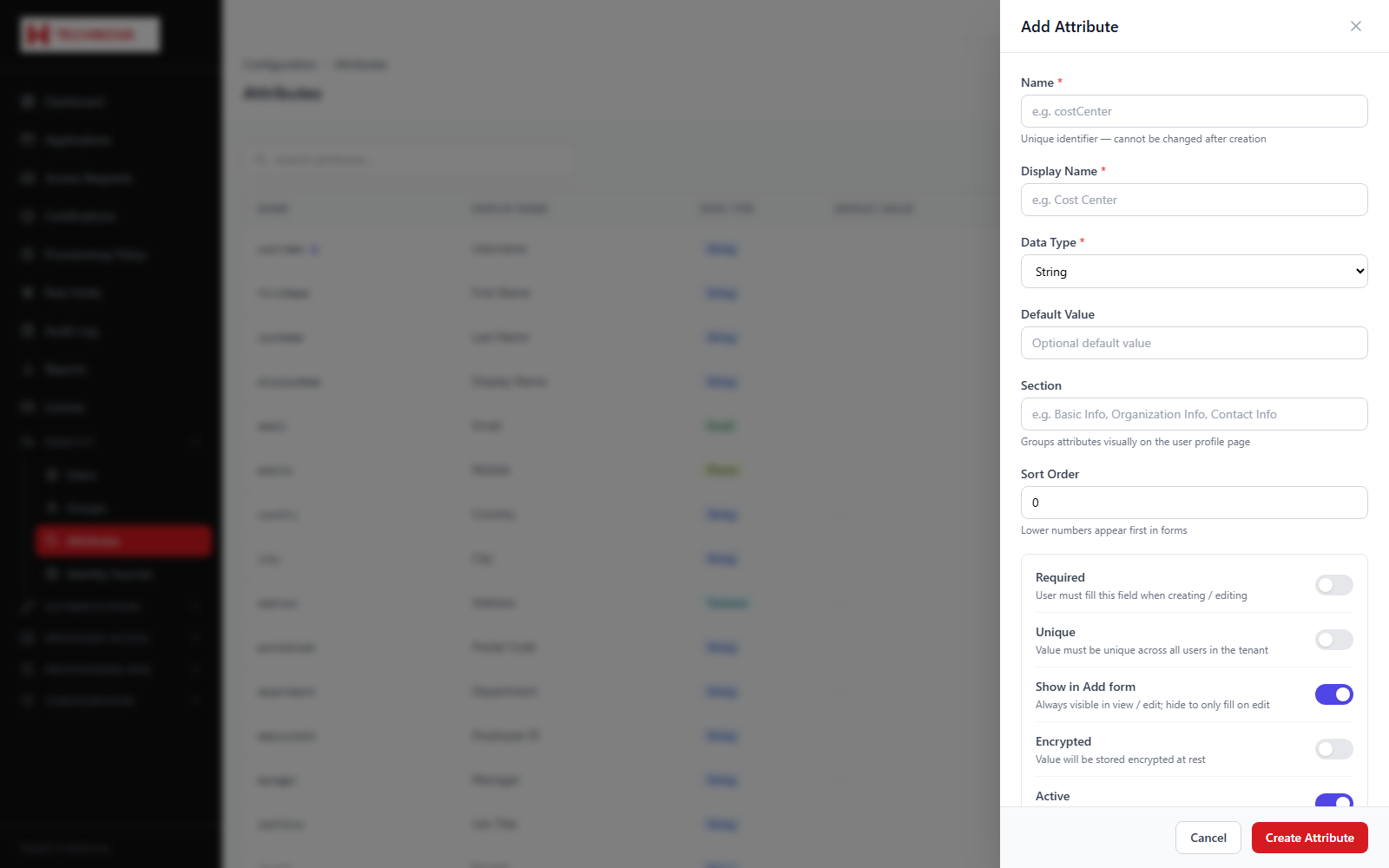
How to use it
- Open Identity → Attributes and click to add an attribute.
- Enter the system name — this is what mappings and
${...}expressions reference. - Enter the display name shown on forms.
- Choose the data type.
- Set required, encrypted and whether it appears on the Add User form.
- Save.
Field reference
| Field | Description |
|---|---|
| Name | System identifier. Avoid renaming once mappings reference it. |
| Display name | Label shown on user forms. |
| Data type | STRING, BOOLEAN, NUMBER, DATETIME or LIST. |
| Encrypted | Stores the value encrypted at rest. |
| Show in Add | Whether it appears on the create-user form. |