Risk Engine
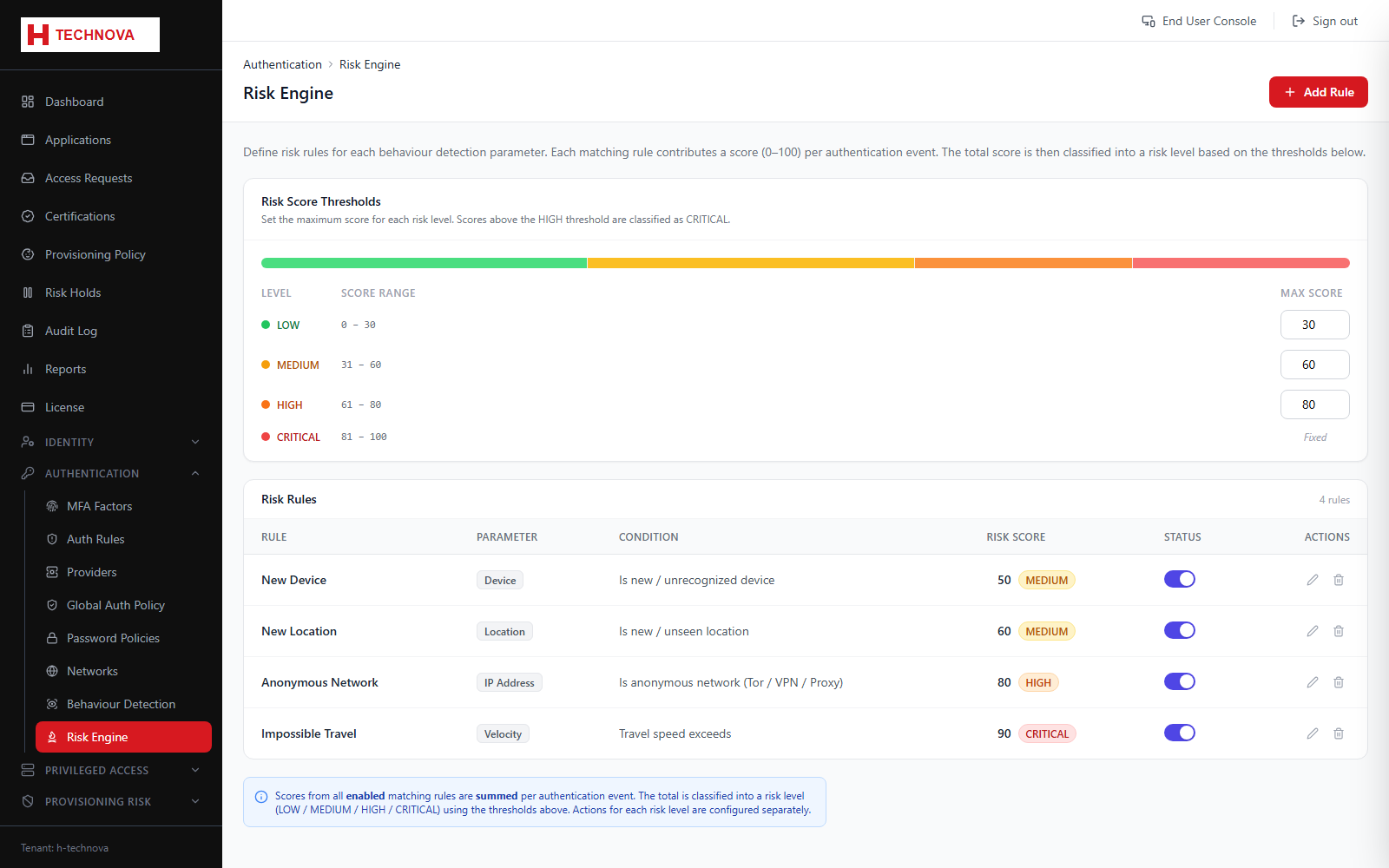
Turns behavioural and contextual signals into a LOW, MEDIUM or HIGH risk level for each sign-in, which Authentication Rules can then act on — for example demanding MFA only when risk is elevated.
How to use it
- Open Authentication → Risk Engine.
- Set the score thresholds that separate low, medium and high risk.
- Set the weight each signal contributes.
- Save, then write an Authentication Rule conditioned on risk level.
Field reference
| Field | Description |
|---|---|
| Thresholds | Score boundaries between risk levels. |
| Signal weights | How strongly each contributing signal influences the total. |