Provisioning → Attribute Mappings
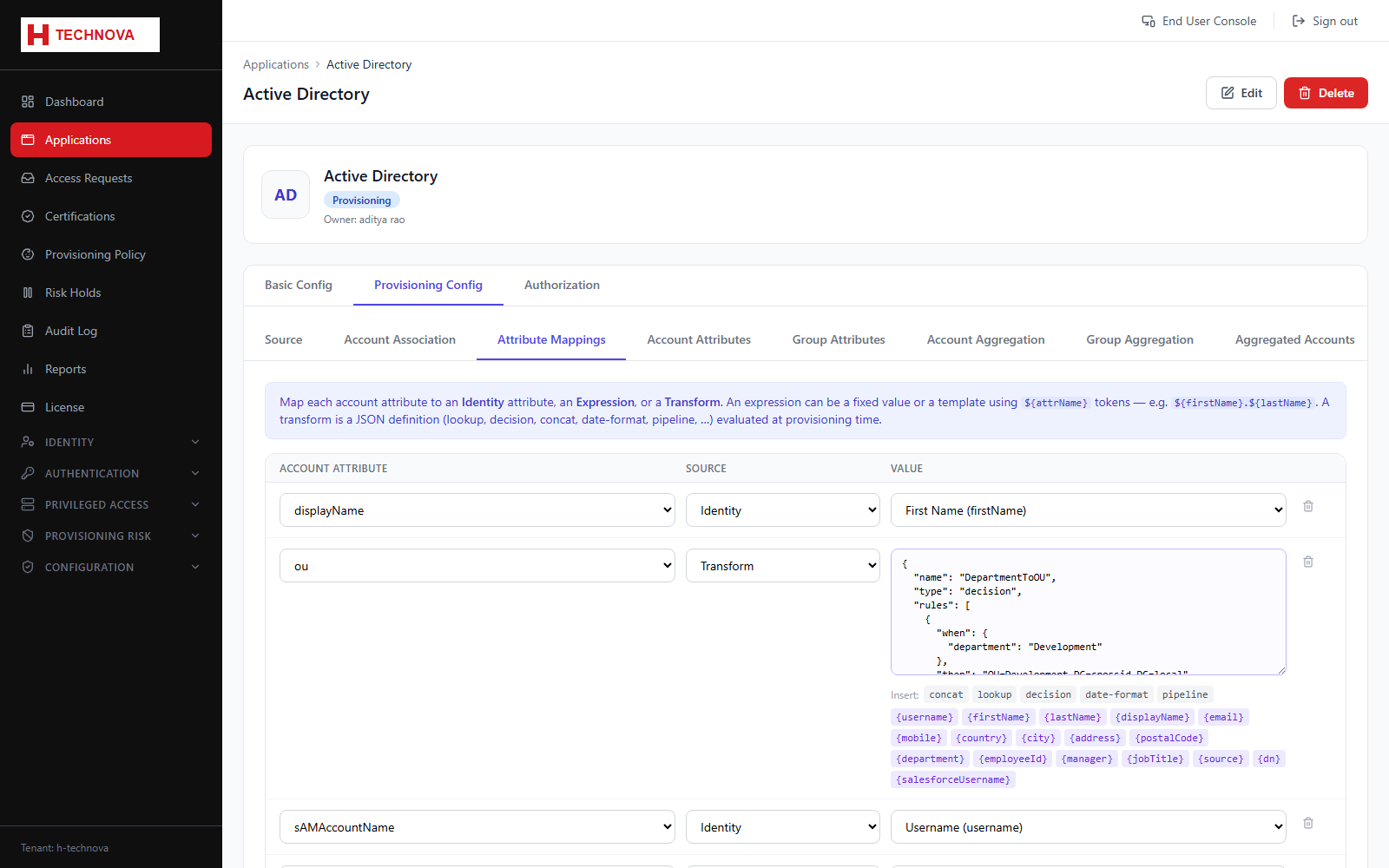
Determines the value of every attribute written to the target account. Each row maps one account attribute to a source: an identity attribute, an expression, or a transform.
How to use it
- Open Provisioning Config → Attribute Mappings.
- Click Add Mapping and select the target account attribute.
- Pick the Source — Identity, Expression or Transform.
- Complete the value editor for that source type.
- Click Save Mappings.
Field reference
| Field | Description |
|---|---|
| Identity | Copies an identity attribute unchanged. |
| Expression | A literal or a template using ${attr} placeholders. |
| Transform | A JSON transform definition — lookup, decision, concat, pipeline and more. See Account Attribute Mapping for full syntax. |