Provisioning → Correlation Mapping
Defines how group membership data from the target is interpreted — how a member value is resolved to an account or a nested group, and how deep nesting is followed.
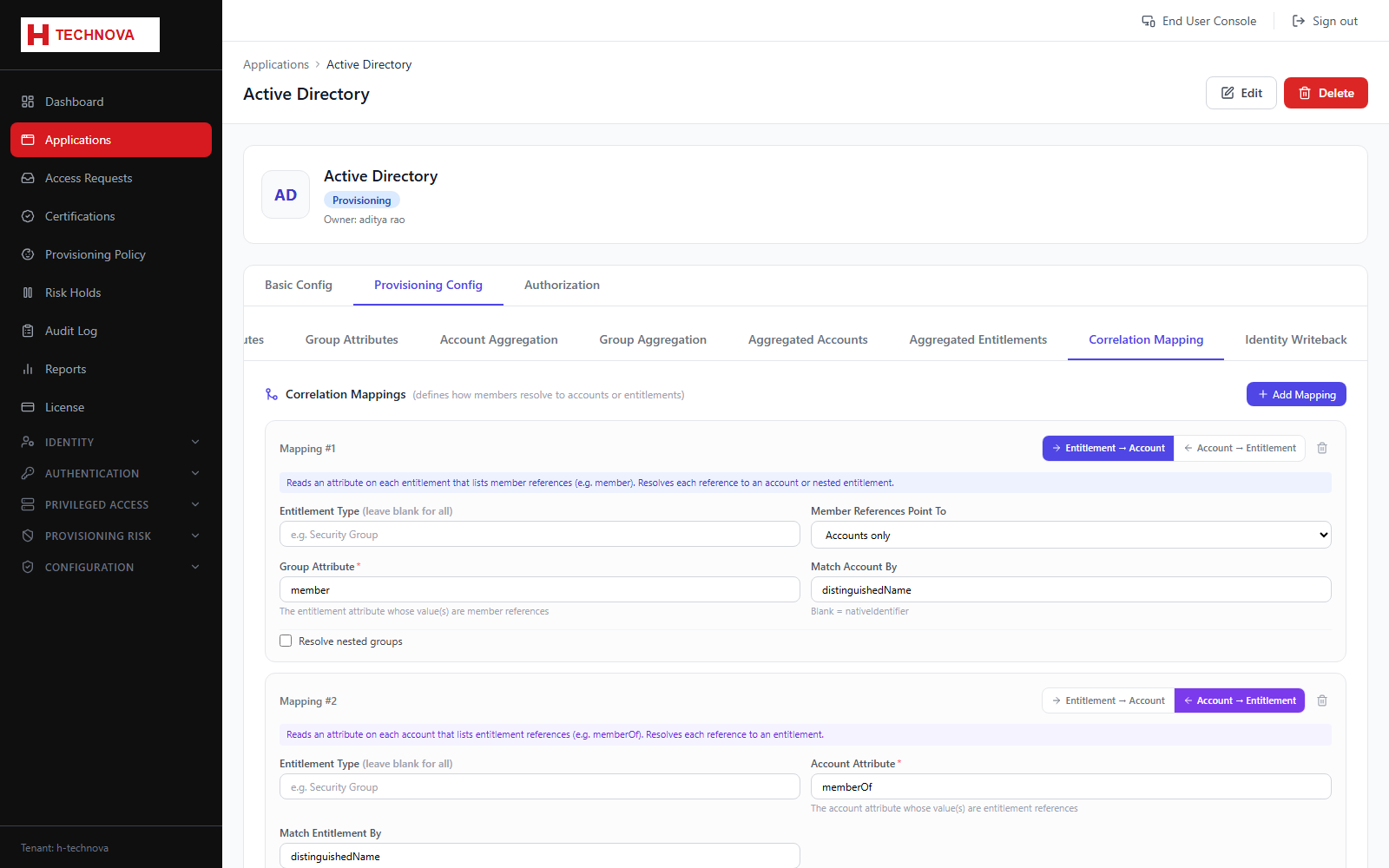
How to use it
- Open Provisioning Config → Correlation Mapping.
- Choose the source attribute carrying membership, typically
member. - Set the member target — account, group, or both.
- Select the attributes used to match members to accounts and to groups.
- Enable nested resolution and set a maximum depth if groups contain groups.
- Save and re-run group aggregation.
Field reference
| Field | Description |
|---|---|
| Source attribute | The membership attribute on the group object. |
| Member target | Whether member values point at accounts, groups, or both. |
| Resolve nested | Follow group-in-group membership. |
| Max nesting depth | Guard against deep or circular nesting. |
| Match attribute | The field used to resolve each member value to an account or entitlement — e.g. distinguishedName. When the connector sends member values as full embedded objects (not just an identifier string), this exact field is read directly off each object rather than falling back to the application's default identity attribute. |