Behaviour Detection
Profiles normal sign-in behaviour — devices, locations and timing — and flags anomalies so they can raise the risk level of an attempt.
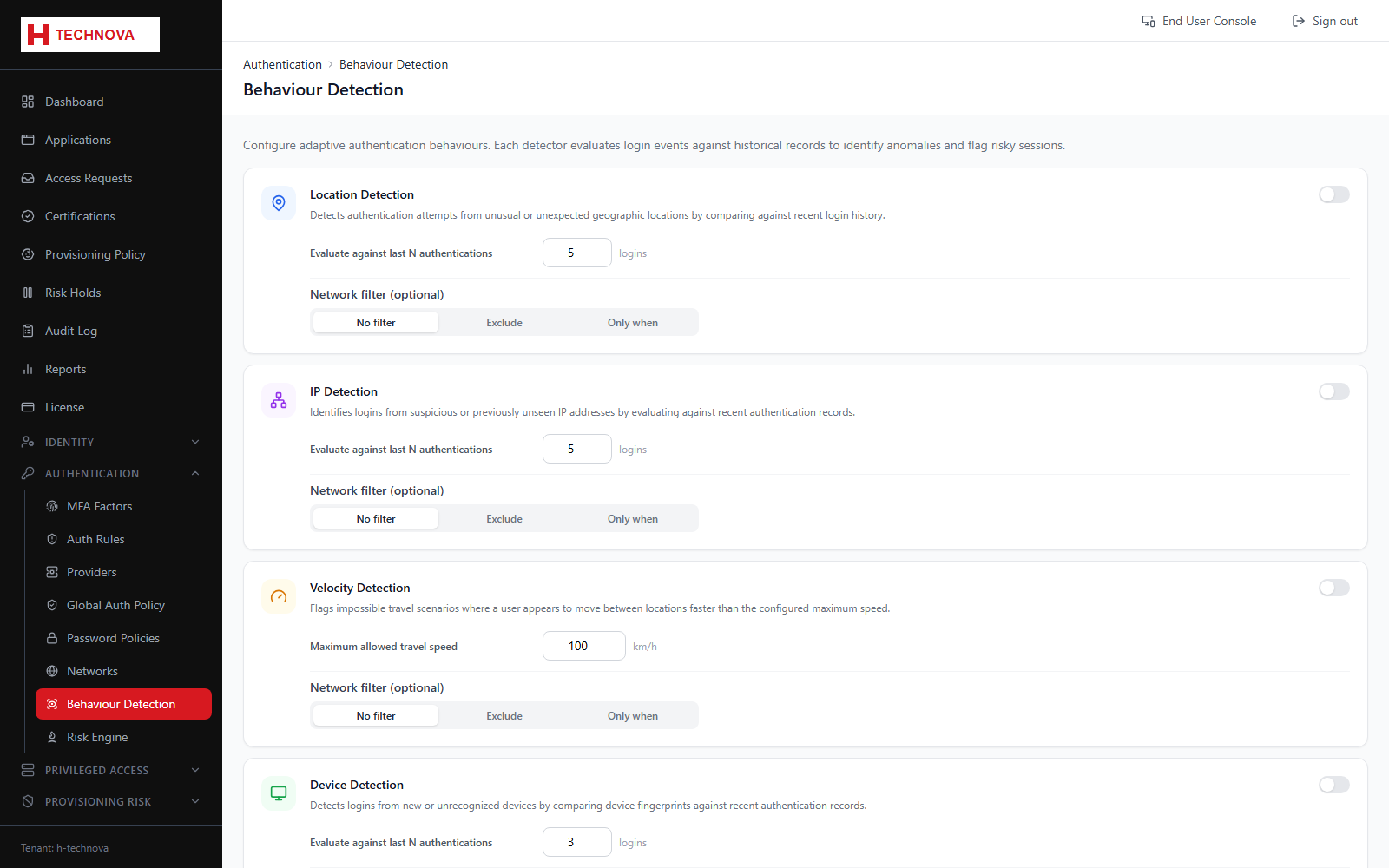
How to use it
- Open Authentication → Behaviour Detection.
- Enable detection and choose the signals to evaluate, such as new device or impossible travel.
- Set sensitivity for each signal.
- Save. Anomalies now contribute to the risk score consumed by the Risk Engine and Authentication Rules.
Field reference
| Field | Description |
|---|---|
| New device | Sign-in from an unrecognised device fingerprint. |
| Impossible travel | Two sign-ins too far apart geographically to be plausible. Requires the GeoIP database to be mounted. |