Console Layout & Navigation
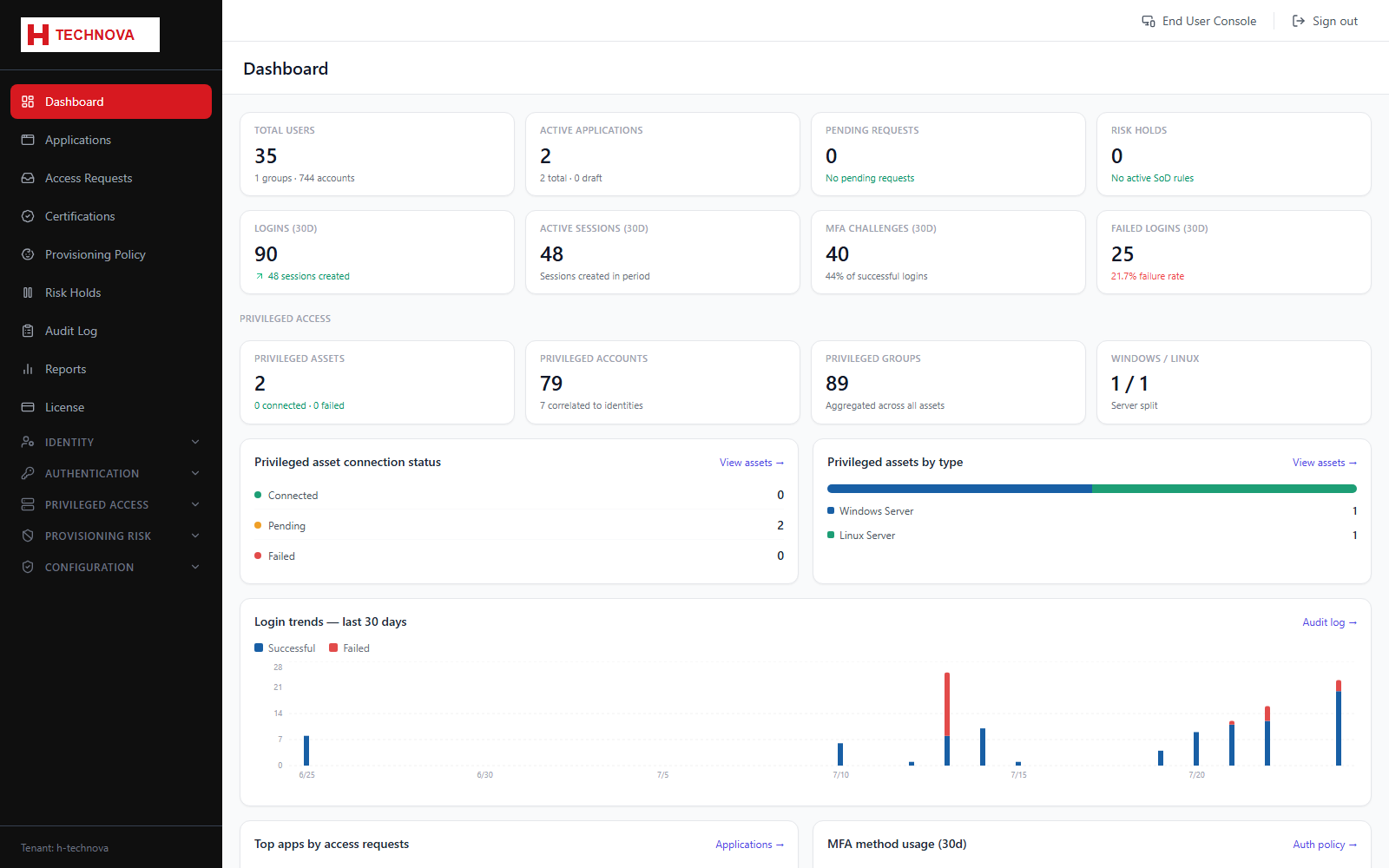
The admin console uses a persistent left sidebar grouped by function. What appears there is filtered twice: by your permissions, and by the modules your tenant is licensed for (AM, IGA, PAM). If a menu item is missing, one of those two is the reason.
How to use it
- Top-level items — Dashboard, Applications, Access Requests, Certifications, Provisioning Policy, Risk Holds, Audit Log, Reports and License — are always visible to a Platform Admin.
- Collapsible groups — Identity, Authentication, Privileged Access, Provisioning Risk and Configuration — expand to reveal their sub-pages.
- Use End User Console in the top bar to switch to the self-service portal as yourself.
- Use Sign out to end the session. This clears all cached data so the next user never sees your records.
Field reference
| Field | Description |
|---|---|
| Permission gating | Each item declares a required permission such as identity.users.view. Permissions come from the Platform Control groups you belong to. |
| Licence gating | Items declare the modules they belong to. A PAM-only tenant will not see IGA-specific menus, and vice versa. |
| Tenant footer | The active tenant slug is always shown at the foot of the sidebar so you can confirm which tenant you are administering. |