Provisioning → Source
The connection between Zetect and the target system: which connector is used, which agent runs it, and the credentials it connects with. Nothing else in Provisioning Config works until this is connected.
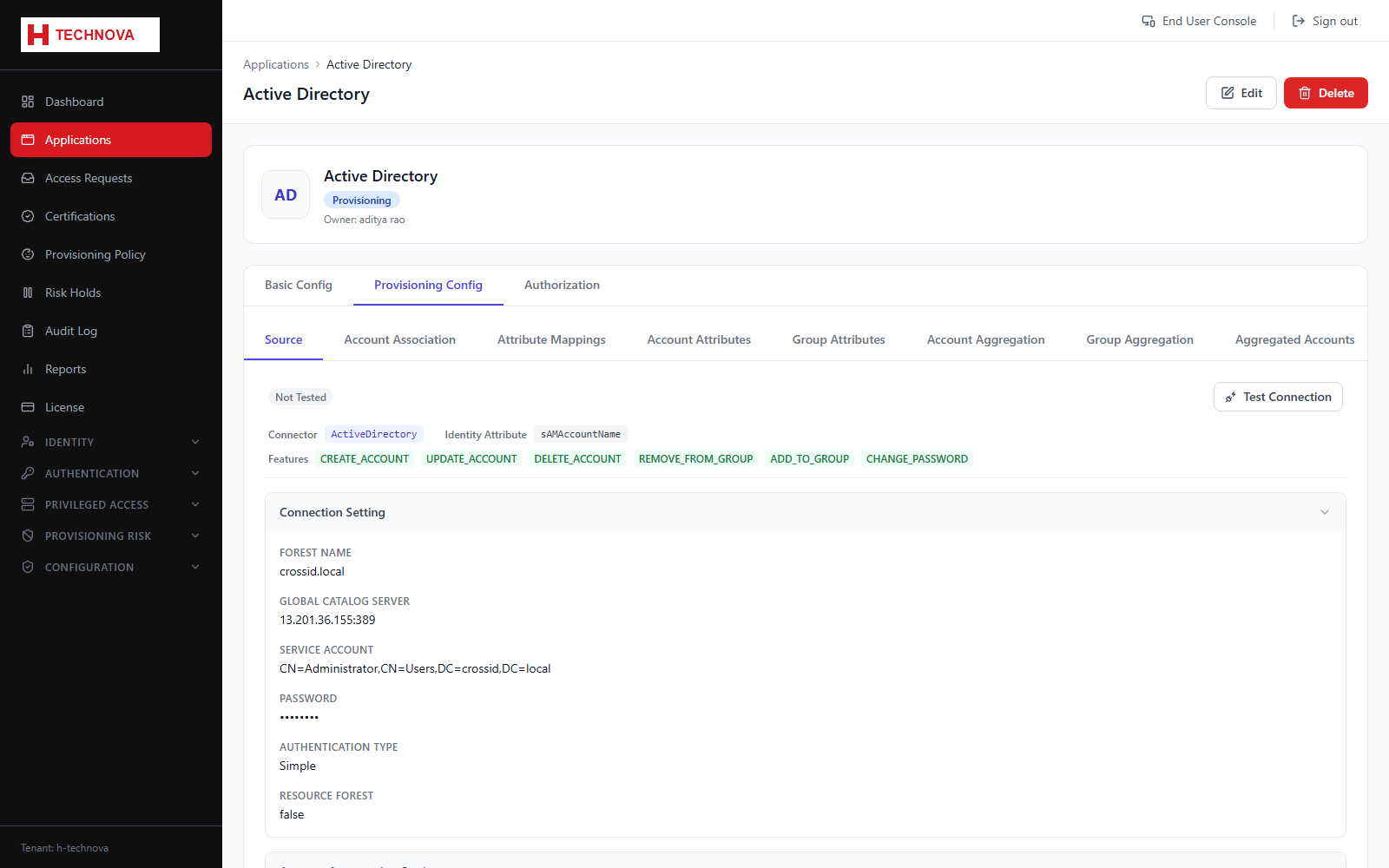
How to use it
- Open the application → Provisioning Config → Source.
- Select the connector for the target system.
- Select the agent that can reach it on the network.
- Enter host, port and the service account credentials.
- Choose the account identity attribute — the field that uniquely identifies an account in the target.
- Click Test Connection and confirm the status shows connected.
- Save.
Field reference
| Field | Description |
|---|---|
| Connector | Integration type — Active Directory, OpenLDAP, JDBC, CSV and so on. |
| Agent | On-premise agent executing the connection. Must be online (see Configuration → Agents). |
| Account identity attribute | Unique key for accounts in the target, for example sAMAccountName. |
| Features | Which operations the connector supports — create, update, delete, group membership. |
| Connection status | Result of the last test. Aggregation and provisioning both require a healthy connection. |