Access Requests → Configurations
Defines what can be requested. A configuration publishes an application or privileged asset into the catalog and decides whether users request the resource itself or a specific entitlement within it.
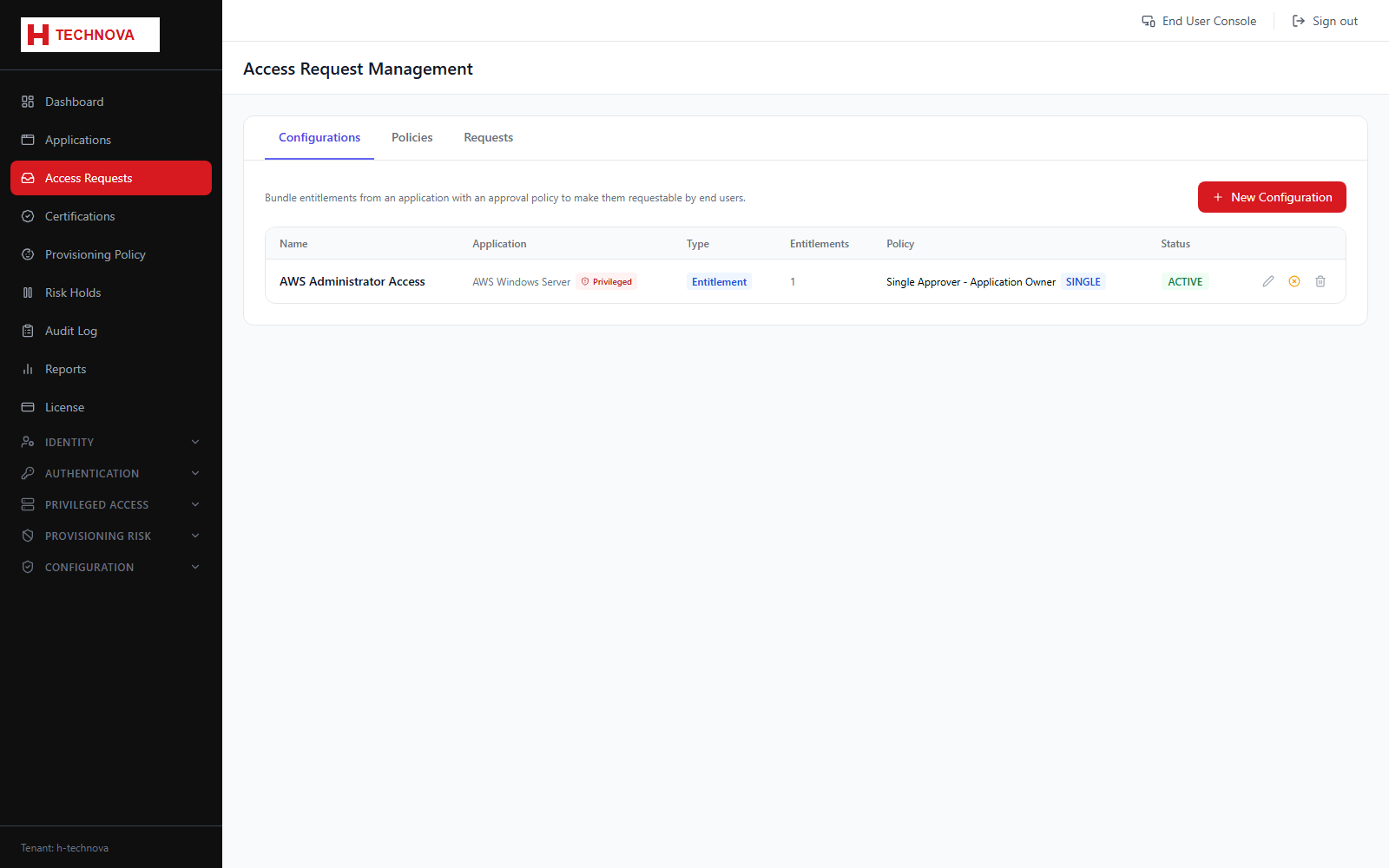
How to use it
- Open Access Requests → Configurations.
- Add a configuration and choose the resource type — Application or Privileged Asset.
- Select the specific application or asset.
- Choose the request type: Application/Asset Access (the resource itself) or Entitlement Access (the user picks a group or role).
- Use the Entitlements tab to publish which entitlements may be requested.
- Use Approval Policy to set who approves.
- Use Requestors to limit who may raise the request.
- Save. The item now appears in the Access Catalog.
Field reference
| Field | Description |
|---|---|
| Resource type | Application or Privileged Asset. |
| Application Access | The user requests access to the resource itself, with no entitlement choice. |
| Entitlement Access | The user selects a specific entitlement, group or privileged group. |
| Entitlements | Which entitlements are published as requestable. |
| Requestors | Who may raise this request. Leave open, or restrict to named groups. |