Provisioning → Account Association
Correlation rules that decide which aggregated account belongs to which Zetect identity. This is what turns a list of anonymous accounts into "John Doe holds this account".
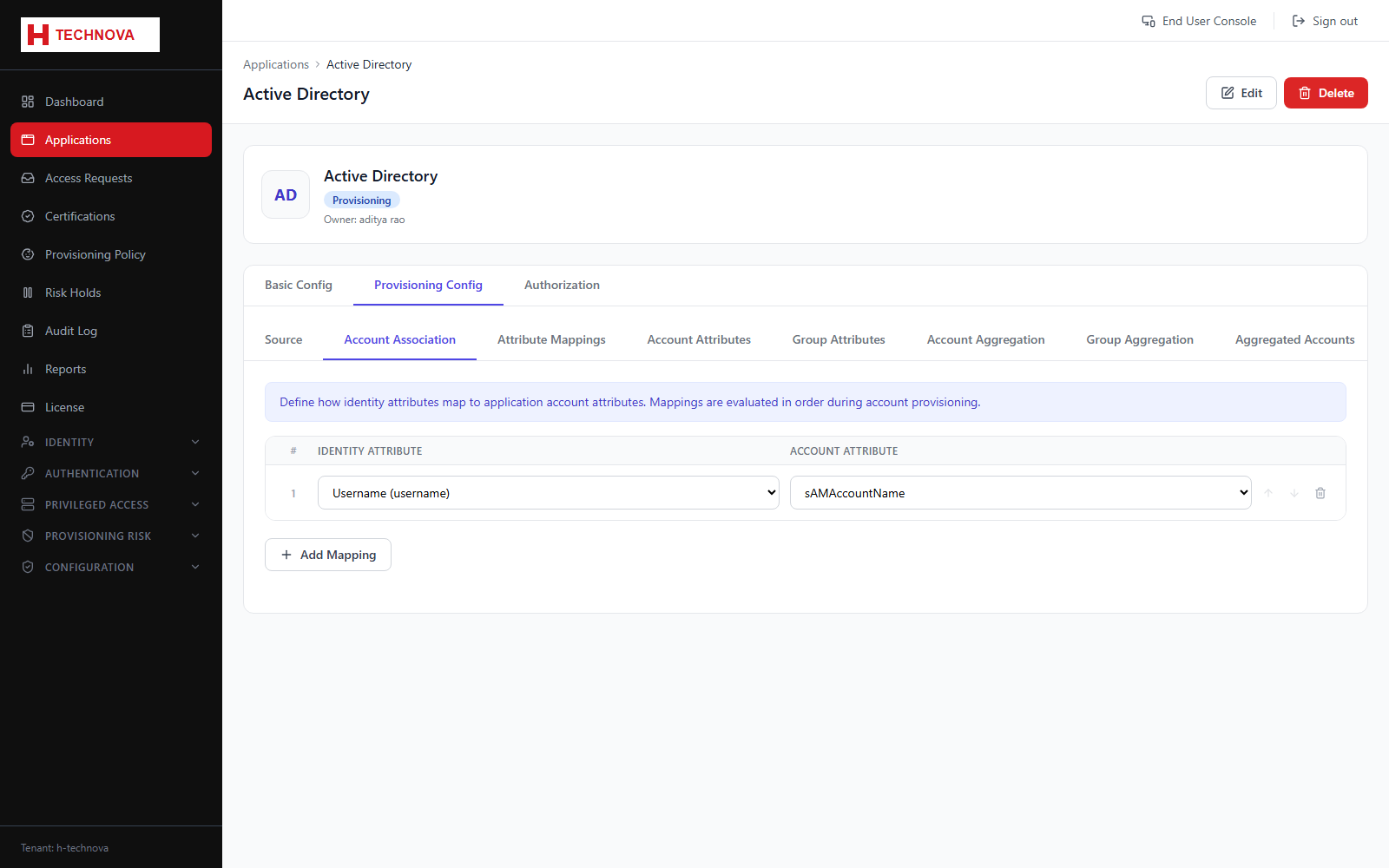
How to use it
- Open Provisioning Config → Account Association.
- Add an association rule.
- Choose the identity attribute on the left and the account attribute on the right.
- Set the match type — exact or fuzzy.
- Order rules so the most reliable match is evaluated first.
- Save, then re-run account aggregation to apply the rules.
Field reference
| Field | Description |
|---|---|
| Identity attribute | The Zetect-side field, such as email. |
| Account attribute | The target-side field, such as mail. |
| Match type | EXACT requires an identical value; FUZZY tolerates minor differences. |
| Sort order | Evaluation order — the first rule that matches wins. |